Showing posts with label hansrontheweb. Show all posts

7/4/19

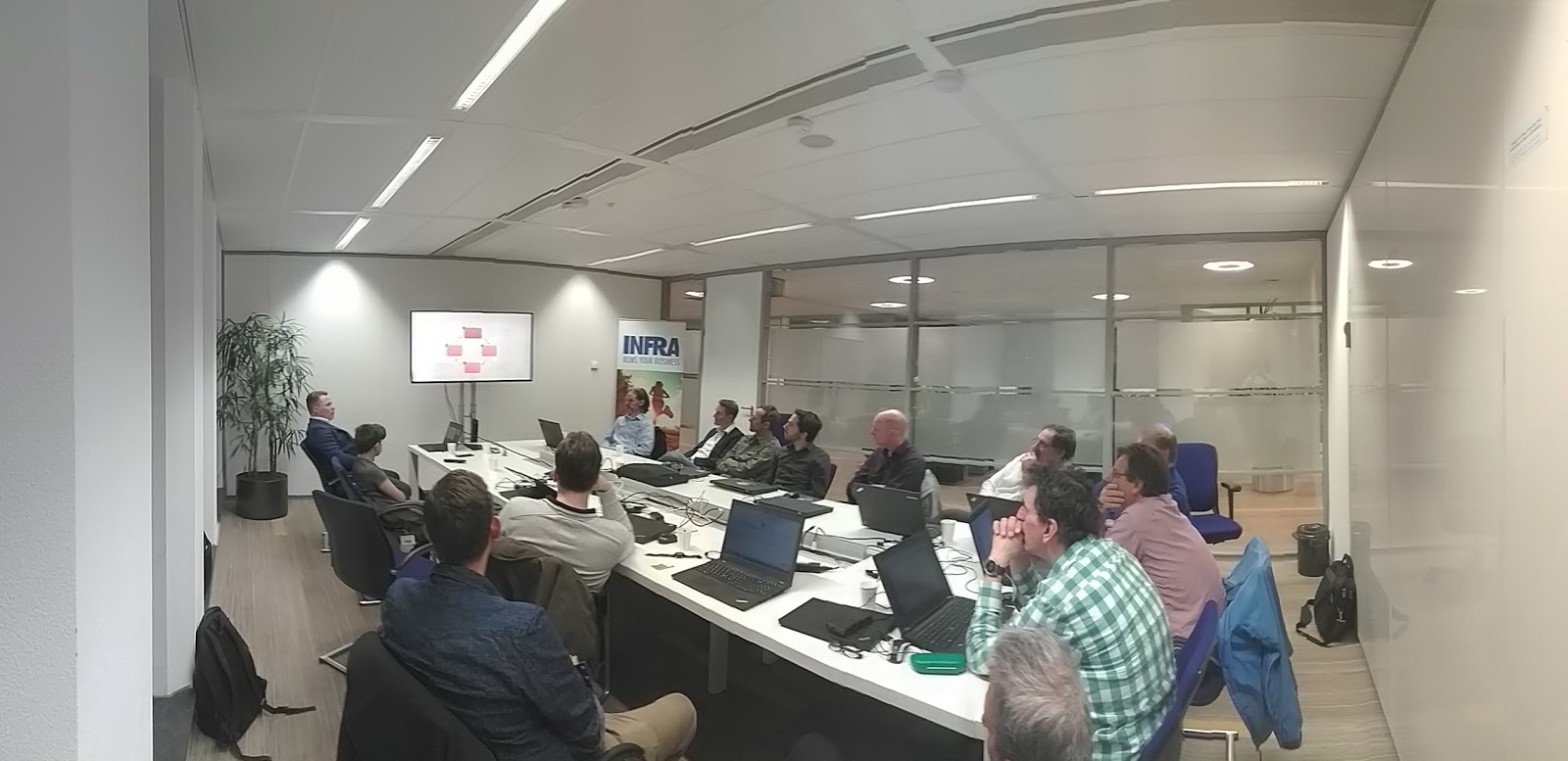
Week #27's Wednesday Evening Training: A good old IoT "klusavond" featuring the Arduino microcontroller and Mozilla WebThings

Two topics, this evening, on Internet of Things (IoT)...

An introduction of the Arduino technology with some nice handson labs by Aishwarya Dhall

We do this on a regular basis in our Wednesday Evening Trainings, to give our colleagues the opportunity to catch up on IoT any time during the year. More experienced colleagues continued with their own labs. In this way everyone can acquire knowledge and experience with this technology at their own pace.

A first exploration van Mozilla WebThings (by me)

Well, this is quite a new thing and quite promising!
As a result of Mozilla's Project Things, Mozilla WebThings is an open platform for monitoring and controlling devices over the web.

It consists, roughly, of the following products:

  • WebThings Gateway: a software distribution for smart home gateways which allows users to directly monitor and control their smart home.
  • WebThings Framework: A collection of re-usable software components to help developers build their own functionality (web things).
  • Things UI: a unified web interface to monitor and control all smart home devices.

The interesting thing is that WebThings allows users to directly monitor and control their smart home over the web, without a middleman. Yes, no subscription for some kind of portal needed. This smart home gateways is focused on privacy, security and interoperability.

Installation and setup of WebThings is quite easy. In tonight's Wednesday Evening Training we just did that, and brainstormed on the applications and next steps we're going to explore next.

Interesting stuff, we'll definitely continue with WebThings!


Further reading

Do you want to read more on the topics in this post?

On IoT technology
What is an IoT Gateway? (SAP EA Explorer - Short Video): https://www.youtube.com/watch?v=6ObesqWDpEo
Mozilla IoT - Mozilla IoT team: https://github.com/mozilla-iot/

On Mozilla WebThings
Mozilla Project Things: https://labs.mozilla.org/projects/project-things
What Mozilla WebThings Has to Offer for the IoT: https://blog.paessler.com/what-mozilla-webthings-has-to-offer-for-the-iot
Introducing Mozilla WebThings: https://hacks.mozilla.org/2019/04/introducing-mozilla-webthings
Simple server for WiFi101, ESP8266, or ESP32 boards compliant with Mozilla's proposed WoT API: https://github.com/mozilla-iot/webthing-arduino
Mozilla WebThings - An open platform for monitoring and controlling devices over the web: https://iot.mozilla.org/
Easy Home Automation With Mozilla IoT & Raspberry Pi - Part 1: https://www.youtube.com/watch?v=maSdWQHSzCg
Getting Started with the WebThings Gateway for Raspberry Pi®: https://iot.mozilla.org/docs/gateway-getting-started-guide.html
Mozilla WebThings Documentation - A guide to using the WebThings Gateway and WebThings Framework: https://iot.mozilla.org/docs/

On demo's and examples (video's from my YouTube channel)
Mozilla Project Things Workshop: https://www.youtube.com/watch?v=uEHL3ZYS790&list=PLSiMhBs48YvXSmJyFMt3eYOG12Llcqyi-&index=23&t=0s
A Universal IoT Gateway? Setting up Mozilla IOT Gateway: https://www.youtube.com/watch?v=MZexWQJtni4&list=PLSiMhBs48YvXSmJyFMt3eYOG12Llcqyi-&index=24&t=0s
Mozilla IoT Framework - Kathy Giori (Mozilla): https://www.youtube.com/watch?v=mWCa6byiPco&list=PLSiMhBs48YvXSmJyFMt3eYOG12Llcqyi-&index=25&t=0s
mozilla-iot-gateway-sensors-20180406rzr: https://www.youtube.com/watch?v=4haKrPetGmg&list=PLSiMhBs48YvXSmJyFMt3eYOG12Llcqyi-&index=26&t=0s
mozilla things gateway - orange pi: https://www.youtube.com/watch?v=y4eTym_TVFo&list=PLSiMhBs48YvXSmJyFMt3eYOG12Llcqyi-&index=27&t=0s

On communities
Mozilla IoT GitHub Community: https://github.com/mozilla-iot/
Mozilla IoT - Mozilla IoT team: https://github.com/mozilla-iot/
Mozilla IoT - Discussion board: https://discourse.mozilla.org/c/iot
Mozilla IRC: https://wiki.mozilla.org/IRC
MozIoT - The Mozilla IoT Team (a small team inside the Emerging Technologies department at Mozilla, working on the Internet and Web of Things): https://wiki.mozilla.org/MozIoT

On related topics
Mozilla IoT - Supported hardware: https://github.com/mozilla-iot/wiki/wiki/Supported-Hardware
Raspberry Pi: https://www.raspberrypi.org/products/
Balena Etcher - Flash OS images to SD cards & USB drives, safely and easily: https://www.balena.io/etcher/
Other Mozilla projects: https://labs.mozilla.org/projects/

Next week's Wednesday Evening Training

Next week we will have an update on our exploration of storing, querying and visualizing software architecture models. We’ll share the prototypes and discuss the proceedings of our research on using graph/noSQL/RDF databases like Neo4j and Apache Jena and 3djs / 3D force graphs.

Looking forward to next week!

Past Wednesday Evening Trainings on all topics

You 'll find post of previous sessions on my blog and on LinkedIn: https://www.linkedin.com/search/results/content/?keywords=%23wednesdayeveningtraining

What happened to the posts of previous Wednesday Evening Trainings?
Well, to be honest I am a bit behind with my blog posts. I hope to catch up with my work in the coming period.

Work @Capgemini?

Do you want to join us? We're always looking for and well-motivated young professionals. Do you have a bachelor or master degree or extensive practical experience? Or do you have a relevant ICT / Informatics training and you have become curious about us? Please send me an mail. Working for us gives you access to all Wednesday Evening Trainings!

5/29/19

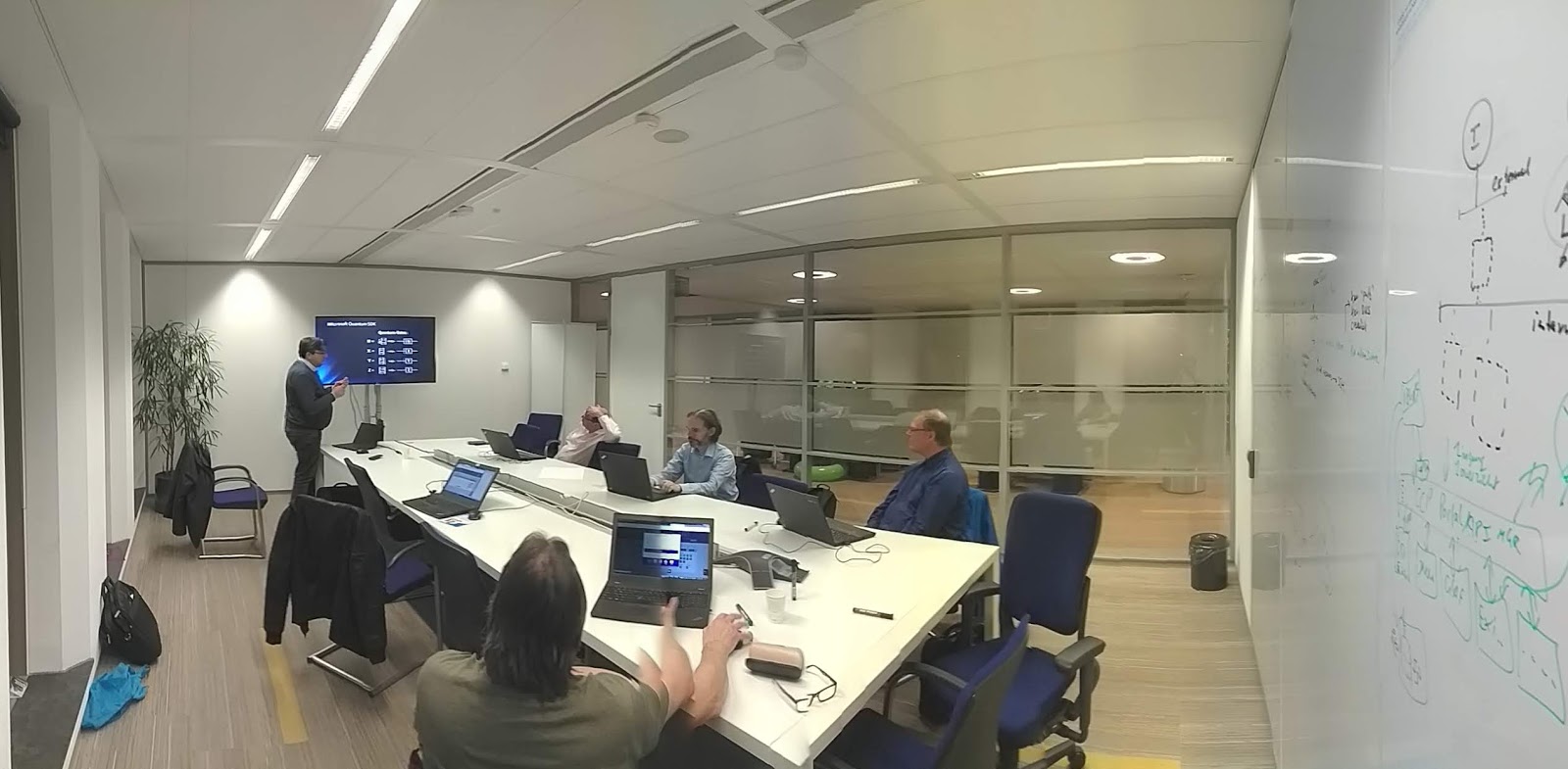
Week #22's Wednesday Evening Training: Quantum Computing, a practical introduction using IBM technology (part 7)

Continuing our exploration of Quantum Computing in our Wednesday Evening Training, we had a nice introduction in Quantum Computing and the math behind from one of our Quantum Computing experts: Ilyas Sener.

We've discussed ports, matrix calculations, applications and made comparisons to Turing based computers.


We also had a good brainstorm on topics that we like to discuss next Wednesday Evening Training sessions on Quantum computing. I'll soon give an update on what will be on our agenda the upcoming months.

Interesting topics! We'll definitely continue exploring Quantum Computing!


Further reading

Do you want to read more on the topics in this post?

Take a look at my post: "Quantum computing: an introduction and a lot of links to resources":
https://hansrontheweb.blogspot.com/2018/11/quantum-computing-introduction.html

Or visit my YouTube channel on Quantum Computing: https://www.youtube.com/playlist?list=PLSiMhBs48YvWecXqKP00NGuiP5UD6RoCk

Next week's Wednesday Evening Training

Next week we will have an introduction on Android Studio by Melchior Vrolijk. We'll get basic knowledge on how to use the Android Studio IDE for developing Native Android apps, run native apps using the integrated emulator and on our own physical Android devices.

Looking forward to next week!

Past Wednesday Evening Trainings on all topics

You 'll find post of previous sessions on my blog and on LinkedIn: https://www.linkedin.com/search/results/content/?keywords=%23wednesdayeveningtraining

Work @Capgemini?

Do you want to join us? We're always looking for and well-motivated young professionals. Do you have a bachelor or master degree or extensive practical experience? Or do you have a relevant ICT / Informatics training and you have become curious about us? Please send me an mail. Working for us gives you access to all Wednesday Evening Trainings!

5/1/19

Week #16/17/18's Wednesday Evening Trainings: a quick preview...

Apologies! I'm a bit behind with writing my blog articles.

For that, already some impressions of week #16/17/18's Wednesday Evening Trainings on:

  • Modeling patterns & solutions in Archimate using Archi & an update on how to use Neo4j with Archimate & Archi
  • Quantum Computing, a practical introduction using IBM technology (part 6)
  • WebGL: recap and continuation of implementing WebGL graphics

Blog articles will be published as soon as possible!


4/13/19

Week #15's Wednesday Evening Training: Whack-a-LED!

In this week's Wednesday Evening Training, we had a great Arduino Micro controller lab: "Whack-a-LED!"

One of our Arduino champions, Aishwarya Dhall, prepared a nice little game implemented using the Arduino Micro Controller. The game is based on the well known game "Whac-A-Mole".


Using 4 push buttons, 4 LED's and a little Arduino program, the game is implemented. The LED's are lit one at a time in random order. The player must hit the corresponding button in time to proceed with the game and gain points. This requires a timer and some interrupts.

Nice lab to get started using the Arduino!


There was a special welcome to the students of the Hogeschool Utrecht who we assisted programming a LED panel with the Arduino.


Of course, there was also plenty of opportunity for other projects & topics. Even the first ever photograph of a black hole was discussed. That's agile learning ;) !

Thanks Aish and others for sharing your knowledge with us! That's all in the game in the Wednesday Evening Training!


Next Wednesday Evening Training...

Next Wednesday Evening Training, we'll continue our architecture series with modelling architecture patterns in Archimate and an introduction in Archi, a free Archimate editor. We'll also discuss proceedings on

Further study

Do you want to read more on the topics in this post or play around with the technology? Here are some links…

On the Whac-A-Mole game:
Whac-A-Mole: https://en.wikipedia.org/wiki/Whac-A-Mole

On Arduino:
Arduino Interrupts Tutorial (explanations, 2 demo's/labs): https://www.youtube.com/watch?v=QtyOiTw0oQc
My YouTube playlist on YouTube: https://www.youtube.com/playlist?list=PLSiMhBs48YvV86iiXFJY-BRxOsP2A2pnH
10 Awesome Beginner Arduino Projects: https://create.arduino.cc/projecthub/RoyTobby/10-awesome-beginner-arduino-projects-78a6a6
Arduino project - Adaptive LED Morse Code Decoder and Timer Interrupt: https://create.arduino.cc/projecthub/shjin/adaptive-led-morse-code-decoder-and-timer-interrupt-8d18a7
Arduino - Multitasking (e.g. interrupts): https://learn.adafruit.com/multi-tasking-the-arduino-part-2/overview
Arduino Interrupts: https://www.instructables.com/id/Arduino-Interrupts
Arduino Playgrounds - Interrupts: http://playground.arduino.cc/code/interrupts

On Fritzing:
Fritzing official site: http://fritzing.org/home
A quick overview on Fritzing: https://www.slideshare.net/HansRontheWeb/fritzing-breadboard-editor

Week #14's Wednesday Evening Training: A good old Micro controller klusavond

In this week's Wednesday Evening Training, we had a good old "klusavond" (Dutch for "a pleasant and educational evening in which we worked on our own projects and shared knowledge") on Micro controllers.

We gave some demo's on the proceedings on our projects, discussed the usage of sensors and I gave a short intro on Fritzing. Fritzing is a nice and free CAD application that can be used to design breadboard circuits for Arduino and Raspberry Pi. It's easy to use and I often use it to create illustrations for manuals for Arduino and Raspberry Pi labs.


Next Wednesday Evening Training...

Next Wednesday Evening Training, we'll continue our experiments with Micro controllers with a special lab: "Whack a LED!" using the Arduino Micro controller. Make sure to follow my posts!

Further study

Do you want to read more on the topics in this post or play around with the technology? Here are some links…

On Arduino:
Arduino Interrupts Tutorial (explanations, 2 demo's/labs): https://www.youtube.com/watch?v=QtyOiTw0oQc
My YouTube playlist on YouTube: https://www.youtube.com/playlist?list=PLSiMhBs48YvV86iiXFJY-BRxOsP2A2pnH
10 Awesome Beginner Arduino Projects: https://create.arduino.cc/projecthub/RoyTobby/10-awesome-beginner-arduino-projects-78a6a6
Arduino project - Adaptive LED Morse Code Decoder and Timer Interrupt: https://create.arduino.cc/projecthub/shjin/adaptive-led-morse-code-decoder-and-timer-interrupt-8d18a7
Arduino - Multitasking (e.g. interrupts): https://learn.adafruit.com/multi-tasking-the-arduino-part-2/overview
Arduino Interrupts: https://www.instructables.com/id/Arduino-Interrupts
Arduino Playgrounds - Interrupts: http://playground.arduino.cc/code/interrupts

On the Raspberry Pi:
Raspberry Pi: https://en.wikipedia.org/wiki/Raspberry_Pi
Raspberry Pi (official site): https://www.raspberrypi.org
Comparison of single-board computers: https://en.wikipedia.org/wiki/Comparison_of_single-board_computers

On Fritzing:
Fritzing official site: http://fritzing.org/home
A quick overview on Fritzing: https://www.slideshare.net/HansRontheWeb/fritzing-breadboard-editor

Past Wednesday Evening Trainings on all topics

You 'll find post of previous sessions here: https://www.linkedin.com/search/results/content/?keywords=%23wednesdayeveningtraining

Work @Capgemini?

Do you want to join us? We're always looking for and well-motivated young professionals. Do you have a bachelor or master degree or extensive practical experience? Or do you have a relevant ICT / Informatics training and you have become curious about us? Please send me an mail. Working for us gives you access to all Wednesday Evening Trainings!

Week #13's Wednesday Evening Training: Keeping up architecture with Neo4J graph database

In this week's Wednesday Evening Training, Fred van Nimwegen and I gave an introduction to graph-oriented databases, and Neo4j in particular. Also, we gave an update on our proceedings in using databases to store and query architecture models.

So what is a graph database? And what is Neo4j?

A graph database is a type of NoSQL database that uses graph theory to store, map and query relationships. This is essentially a collection of nodes and edges. Each node represents an entity and each edge represents a connection or relationship between two nodes. Graph databases are very well suited for analyzing networks, e.g. to mine data from social media.

Read my introduction on Neo4j here: Dealing with architecture models and views using graph databases like Neo4j


Back to our Wednesday Evening Training...

This evening, Fred explained us the basics of graph databases, and us how to query networks using the Cypher Query Language. He also showed us prototypes of extensive Archimate models generated using Neo4j. Using Neo4j and three.js (JavaScript library) 3D views of architecture models (networks) were displayed and filtered, showing all kinds of relations between architecture elements. Quite a useful way of gaining insight in a complex architecture!

Of course there was plenty of opportunity for experimenting. We did some handson labs and did walk throughs of some examples and demo's. You can find these in the resources mentioned below.

We'll continue our research on architecture modeling using Neo4j for sure and in upcoming Wednesday Evening Trainings we'll update our community on our proceedings.


Next Wednesday Evening Training on Neo4j

In our Wednesday Evening Training of April 17th, we will give a workshop on Modeling patterns & solutions in Archimate using Archi. We'll also give an update on how to use Neo4j with Archimate, Archi & architecture models. Yes, we'll continue experimenting with this great platform!

Further study

Do you want to read more on the topics in this post or play around with the technology? Here are some links…

On Graph databases:
What is a Graph Database? https://neo4j.com/developer/graph-database
Graph Databases for Beginners: Why Graph Technology Is the Future: https://neo4j.com/blog/why-graph-databases-are-the-future
Graph database: https://en.wikipedia.org/wiki/Graph_database
Instructive video's on Graph Databases: https://www.youtube.com/playlist?list=PLSiMhBs48YvXpvmWiUNeThqxOikTH1Zy4

On Neo4j:
Neo4j (GitHub repo): https://github.com/neo4j/neo4j
Neo4j homepage: https://neo4j.com/
Cypher Query Language: https://neo4j.com/developer/cypher-query-language/
Fred's GitHub repo (explanation, examples, in Dutch): https://gitlab.com/fredvn-woensdagavond/neo4j-2018-12
Learn Cypher in minutes: https://learnxinyminutes.com/docs/cypher
Neo4j Sandbox (handson labs, built-in guides and sample datasets for popular use cases): https://neo4j.com/sandbox-v2

Examples:
The Graph of Thrones [Season 7 Contest]: https://neo4j.com/blog/graph-of-thrones/
Dataset: Movie Database: https://neo4j.com/developer/movie-database/#_the_dataset
Exploring a UK Open Government Dataset with Neo4j: https://leanjavaengineering.wordpress.com/2015/04/10/exploring-a-uk-open-government-dataset-with-neo4j

On related topics:
4+1 architectural view model: https://en.wikipedia.org/wiki/4%2B1_architectural_view_model
Database export/import plugin that store Archi models in a central database repository: https://github.com/archi-contribs/database-plugin
threejs (cross-browser JavaScript library and Application Programming Interface (API) used to create and display animated 3D computer graphics): https://threejs.org/

Past Wednesday Evening Trainings on all topics

You 'll find post of previous sessions here: https://www.linkedin.com/search/results/content/?keywords=%23wednesdayeveningtraining

Work @Capgemini?

Do you want to join us? We're always looking for and well-motivated young professionals. Do you have a bachelor or master degree or extensive practical experience? Or do you have a relevant ICT / Informatics training and you have become curious about us? Please send me an mail. Working for us gives you access to all Wednesday Evening Trainings!


3/15/19

Week #11's Wednesday Evening Training: Control your Raspberry Pi using LUIS on Azure (part 2)

This session was the second part of two sessions where we got an introduction on the Azure Cognitive Speech Services, combined with LUIS, .NET Core and the Raspberry Pi. Read my first post on this topic for a quick introduction of the topics involved and a quick "how to" to get started yourself.


So how did we proceed this evening?

This evening, we continued with our lab. Some of us experimented using Android based mobile phones for speech input. Also, we did some experiments controlling other hardware than LED's.  There was lot's of discussion and brainstorming on other applications and alternative implementations like MQTT and NodeRED. Far more than we could handle in just one evening. Therefore, we'll continue our labs in the next Wednesday Evening Training on IoT (that will be a "klusavond" on april 3rd).

Thanks Ronnie Jongenelen, for sharing your knowledge with us! Great stuff!


Further reading

Do you want to read more on the topics in this post? Here are some resources...

On Azure:
Microsoft Azure - Cognitive Services: https://azure.microsoft.com/nl-nl/services/cognitive-services/
Quickstart: Use prebuilt Home automation app: https://docs.microsoft.com/en-us/azure/cognitive-services/luis/luis-get-started-create-app
RaspberryIO - Pi's hardware access from .NET: https://github.com/unosquare/raspberryio/blob/master/README.md
Setting up Raspbian and .NET Core 2.0 on a Raspberry Pi: https://blogs.msdn.microsoft.com/david/2017/07/20/setting_up_raspian_and_dotnet_core_2_0_on_a_raspberry_pi/

On the Raspberry Pi:
Raspberry Pi: https://en.wikipedia.org/wiki/Raspberry_Pi
Raspberry Pi (official site): https://www.raspberrypi.org
Comparison of single-board computers: https://en.wikipedia.org/wiki/Comparison_of_single-board_computers
Raspbian Debian-based computer operating system for the Raspberry Pi: https://en.wikipedia.org/wiki/Raspbian

On LUIS:
LUIS: http://www.luis.ai
Tutorial: Recognize intents from speech using the Speech SDK for C#: https://docs.microsoft.com/nl-nl/azure/cognitive-services/speech-service/how-to-recognize-intents-from-speech-csharp
Learn Azure (learn at your own pace): https://docs.microsoft.com/en-us/learn/azure/

On Azure/LUIS/IoT combination:
Quickstart: Use prebuilt Home automation app: https://docs.microsoft.com/en-us/azure/cognitive-services/luis/luis-get-started-create-app
Control your Raspberry Pi using LUIS on Azure (Part 1): https://www.ronniejongenelen.nl/control-your-raspberry-pi-using-luis-on-azure-part-1/#blog
Control your Raspberry Pi using LUIS on Azure (Part 2): https://www.ronniejongenelen.nl/control-your-raspberry-pi-using-luis-on-azure-part-2/#blog
Control your Raspberry Pi using LUIS on Azure (Part 3): https://www.ronniejongenelen.nl/control-your-raspberry-pi-using-luis-on-azure-part-3/#blog
Handson Lab - Combine LUIS and the Azure Speech Service to control a Raspberry Pi (sources with Ronnies' hands on lab): https://github.com/rwjjongenelen/CognitiveServices.Speech.IntentRecognition

Other stuff:
A nice and free tool for designing electronic circuits: http://fritzing.org

Next week's Wednesday Evening Training

Next week we will continue our Quantum computing sessions. We'll have a lot of topics to discuss, e.g. complexity theory, Cryptography, optimization and machine learning (quantum neural nets). Looking forward to this!

Past Wednesday Evening Trainings on all topics

You 'll find post of previous sessions on my blog and on LinkedIn: https://www.linkedin.com/search/results/content/?keywords=%23wednesdayeveningtraining

Work @Capgemini?

Do you want to join us? We're always looking for and well-motivated young professionals. Do you have a bachelor or master degree or extensive practical experience? Or do you have a relevant ICT / Informatics training and you have become curious about us? Please send me an mail. Working for us gives you access to all Wednesday Evening Trainings!

3/8/19

Week #10's Wednesday Evening Training: Control your Raspberry Pi using LUIS on Azure (part 1)

This session was the first part of two sessions where we got an introduction on the Azure Cognitive Speech Services, combined with LUIS, .NET Core and the Raspberry Pi.


Raspberry Pi

In many Wednesday Evening Trainings we experimented with the Raspberry Pi. This is a  is a series of small single-board computers developed by the Raspberry Pi Foundation to promote teaching of basic computer science in schools and in developing countries. The Raspberry Pi can be also be used in home automation, industrial automation and commercial products. Several generations of Raspberry Pis have been released. All models feature a Broadcom system on a chip (SoC) with an integrated ARM-compatible central processing unit (CPU) and on-chip graphics processing unit (GPU). The Raspberry Pi Foundation provides Raspbian, a Debian-based Linux distribution for download, as well as third-party Ubuntu, Windows 10 IoT Core, RISC OS, and specialised media centre distributions.[109] It promotes Python and Scratch as the main programming languages, with support for many other languages. .NET Core 2.0 applications will also run on a Raspberry Pi (see the resources below).

LUIS

LUIS (Language Understanding Intelligent Service) is a machine learning-based service to build natural language into apps, bots, and IoT devices. LUIS enables you to integrate natural language understanding into your applications without having to create machine learning models. Instead, you can focus on the application's logic.

A client application for LUIS is any application that communicates with a user in natural language to complete a task. The application sends utterances (text) to the LUIS natural language processing endpoint API and receives the results (interpretation) as a JSON response. In this JSON response, Intents describe how LUIS determines understands what a user wants to do. Entities recognized by LUIS will also be returned. The client application then uses the Intents to make decisions about how to fulfill the user's requests.

For this workshop, a (free) LUIS account was needed. This could be created on the LUIS portal at https://www.luis.ai. This portal also offers an excellent intro into Artificial Intelligence.


So what did we do this evening?

We built a prototype based on a sample app with which we could control two LED lights on a Raspberry Pi by spoken commands. The example prototype was built for a Raspberry Pi and contained a Console App for recording spoken text through a microphone, a LUIS app for voice recognition, and an ASP.NET API, directly installed on a Raspberry Pi that controlled the LED lights.

The sample prototype used in this session used the following hardware:

  • Raspberry Pi 3B
  • One 40-way T-Cobbler Breakout Board for Raspberry Pi
  • One 830 point Breadboard
  • One yellow led light
  • One blue led light
  • Two resistances of 500 ohm
  • Four male to male cables to connect the different parts

With the prototype we could turn on and off a yellow and a blue LED light by using the following voice commands: “turn on the yellow / blue light” and “turn off the yellow / blue light” “. The prototype therefore had to be able to understand whether I had to turn a LED on or off, but also which color that had to be turned on or off.

We therefore had to create a LUIS app with which we could analyze a spoken command and determine the intents of this command. A console application that received a voice command and forwarded it to our LUIS app had to be created as well. The LUIS app then sended back a response containing the received voice command and an overview of the intents.

To convert the results that we received from LUIS to GPIO commands on the Raspberry Pi, we had to build an ASP.NET Core Web API that had to be installed directly onto the Raspberry Pi. Therefore, .NET Core had to be installed on the Raspberry Pi. No problem, since .NET Core also runs perfectly on Linux.

Thanks Ronnie Jongenelen, for sharing your knowledge with us! Great stuff!


Next steps...

Next Wednesday Evening Training we will continue our lab. Also: we will be experimenting on using alternative solution components: MQTT and NodeRED. Since the Arduino (single-board computer) also has our attention in the Wednesday Evening Trainings, we'll also have a brainstorm on how to implement this solution on the Arduino.

Further reading

Do you want to read more on the topics in this post? Here are some resources...

On Azure:
Microsoft Azure - Cognitive Services: https://azure.microsoft.com/nl-nl/services/cognitive-services/
Quickstart: Use prebuilt Home automation app: https://docs.microsoft.com/en-us/azure/cognitive-services/luis/luis-get-started-create-app
RaspberryIO - Pi's hardware access from .NET: https://github.com/unosquare/raspberryio/blob/master/README.md
Setting up Raspbian and .NET Core 2.0 on a Raspberry Pi: https://blogs.msdn.microsoft.com/david/2017/07/20/setting_up_raspian_and_dotnet_core_2_0_on_a_raspberry_pi/

On the Raspberry Pi:
Raspberry Pi: https://en.wikipedia.org/wiki/Raspberry_Pi
Raspberry Pi (official site): https://www.raspberrypi.org
Comparison of single-board computers: https://en.wikipedia.org/wiki/Comparison_of_single-board_computers
Raspbian Debian-based computer operating system for the Raspberry Pi: https://en.wikipedia.org/wiki/Raspbian

On LUIS:
LUIS: http://www.luis.ai
Tutorial: Recognize intents from speech using the Speech SDK for C#: https://docs.microsoft.com/nl-nl/azure/cognitive-services/speech-service/how-to-recognize-intents-from-speech-csharp
Learn Azure (learn at your own pace): https://docs.microsoft.com/en-us/learn/azure/

On Azure/LUIS/IoT combination:
Quickstart: Use prebuilt Home automation app: https://docs.microsoft.com/en-us/azure/cognitive-services/luis/luis-get-started-create-app
Control your Raspberry Pi using LUIS on Azure (Part 1): https://www.ronniejongenelen.nl/control-your-raspberry-pi-using-luis-on-azure-part-1/#blog
Control your Raspberry Pi using LUIS on Azure (Part 2): https://www.ronniejongenelen.nl/control-your-raspberry-pi-using-luis-on-azure-part-2/#blog
Control your Raspberry Pi using LUIS on Azure (Part 3): https://www.ronniejongenelen.nl/control-your-raspberry-pi-using-luis-on-azure-part-3/#blog
Handson Lab - Combine LUIS and the Azure Speech Service to control a Raspberry Pi (sources with Ronnies' hands on lab): https://github.com/rwjjongenelen/CognitiveServices.Speech.IntentRecognition

Other stuff:
A nice and free tool for designing electronic circuits: http://fritzing.org

Past Wednesday Evening Trainings on all topics

You 'll find post of previous sessions on my blog and on LinkedIn: https://www.linkedin.com/search/results/content/?keywords=%23wednesdayeveningtraining

Work @Capgemini?

Do you want to join us? We're always looking for and well-motivated young professionals. Do you have a bachelor or master degree or extensive practical experience? Or do you have a relevant ICT / Informatics training and you have become curious about us? Please send me an mail. Working for us gives you access to all Wednesday Evening Trainings!

3/1/19

Week #9's Wednesday Evening Training: An Introduction to Social Engineering: Part 1 - Phishing

In our Wednesday Evening Trainings, we regularly pay attention to security, a very important topic in ICT. This evening, one of our security champions, Philipp Blaas, took us on an excellent and inspiring dive into Social Engineering.


About Social Engineering

Many security experts agree that Social Engineering continues to be the biggest security threat by a big margin. And this is even though Email scams such as “The Nigerian Prince” or “Fake PayPal invoices” have been around for decades!

Why are individuals and organisations still tricked by such tactics that led to massive scandals such as the Sony Hack, The U.S. Democrats Email Server Breach or the Petya Ransomware Attack?

Social Engineering is still highly effective because it takes advantage of human psychology. The methods used are as old as civilization. Why they still work we were shown this Wednesday Evening Training.


What we did during this session

In our session, we have covered common tactics of Social engineering and Phishing based on practical examples. Philipp showed us the steps in which attackers operate. After collecting (mostly automatically) information about a potential target, the attacker develops a relationship with the victim to attain a trusting affiliation in order to take advantage of the target, then executes the attack and leverages the information gained to plan more attacks.

As an exercise, we were asked to review Out of Office replies (often used in companies) to establish which information an attacker can easily gather as a first step. In further steps, trusted social platforms like LinkedIn can be used to gather additional information to be used in the attack.


An attacker often tries to ensure that the victim clicks on a hyperlink to malware without thinking. The attacker does this, for example, by making the victim believe that he has an acute problem. Examples of this are emails in which a strange payment, a security problem, a request from a so-called colleague or manager is reported. You can easily see through such attacks by following a few simple rules. One of them is simply taking time before responding to email; think first before you respond. In addition: determine whether the sender is reliable (take a close look at the e-mail address of the sender), or in the e-mail personal details that the attacker can not know, but also whether the relevant e-mail has been drawn up amateurish (layout, spelling). And: did you know that if you use your cell phone for reading and replying to your e-mail, you are more likely to click on links? Food for thoughts!

We were also shown a nice example of Vishing (Voice phishing), using social engineering over the telephone system to gain access to private personal and financial information. See the links below for this video.


Finally, we did a joint quiz in which we were shown several emails and had to determine whether it was a phishing email or a real mail.

A real eye opener, proving that taking time for reading your emails is crucial!

As usual, there was plenty opportunity for Q&A and discussion. We discussed using tools like Password Managers and other methods to secure your work environment. We also discussed tools that may be used by attackers. See the links below for further reading on these.

Thanks Philipp, for sharing your knowledge with us!


Further reading

Do you want to read more on the topics in this post? Here are some resources...

This is how hackers hack you using simple social engineering: https://youtu.be/lc7scxvKQOo
OSINT tool:
Open-source intelligence: https://en.wikipedia.org/wiki/Open-source_intelligence
KeePass Cross-Platform Community Edition (Password manager): https://keepassxc.org
Curb Your Enthusiasm: A.I. Will Not Save Us From Phishing: https://www.linkedin.com/pulse/curb-your-enthusiasm-ai-save-us-from-phishing-philipp-blaas/
Onderzoek: master password van wachtwoordmanagers is te achterhalen via geheugen (Dutch): https://tweakers.net/nieuws/149368/onderzoek-master-password-van-wachtwoordmanagers-is-te-achterhalen-via-geheugen.html
Video's on ICT security (e.g. types of attack) on my YouTube Channel: https://www.youtube.com/playlist?list=PLSiMhBs48YvViQFNwqLZFE8GU5baI2f-g

Past Wednesday Evening Trainings on all topics

You 'll find post of previous sessions on my blog and on LinkedIn: https://www.linkedin.com/search/results/content/?keywords=%23wednesdayeveningtraining

Work @Capgemini?

Do you want to join us? We're always looking for and well-motivated young professionals. Do you have a bachelor or master degree or extensive practical experience? Or do you have a relevant ICT / Informatics training and you have become curious about us? Please send me an email. Working for us gives you access to all Wednesday Evening Trainings!


2/21/19

Microsoft Quantum Lab on TU Delft campus opened by Dutch King

"On 21 February, King Willem Alexander opened the Microsoft Quantum Lab on the campus of TU Delft. With the lab, Microsoft strengthens quantum research in Delft, a research area where TU Delft ranks among the world's best. The QuTech Research Institute, a collaboration between TU Delft and TNO, is working with industry on the development of quantum computers and a quantum internet. Microsoft, which now has its own laboratory in Delft, is one of the most important companies that collaborates intensively with Delft quantum researchers."

Source: https://www.tudelft.nl/en/2019/tu-delft/dutch-king-opens-microsoft-quantum-lab-on-tu-delft-campus/

Further reading

More on the Microsoft Quantum Lab Delft: https://www.microsoft.com/en-us/research/group/microsoft-quantum-delft/

Do you want to know a bit more on Quantum Computing? Read my short intro and links to practical resources in https://hansrontheweb.blogspot.com/2018/11/quantum-computing-introduction.html.

Wednesday Evening Training on Quantum Computing

Capgemini regularly organizes #WednesdayEveningTraining workshops on Quantum Computing. Read more on these sessions in this blog: https://hansrontheweb.blogspot.com/search?q=quantum

2/20/19

Week #8's Wednesday Evening Training: Quantum Computing, a practical introduction using IBM technology (part 4)

Continuing our exploration of Quantum Computing, guided by one of our Quantum Computer champions: Ilyas Sener. We had a little recap of Quantum logic gates, math topics and an inspiring brainstorm on topics for our upcoming Wednesday Evening Trainings on Quantum Computing.


Further reading

Do you want to read more on the topics in this post? Take a look at my post: "Quantum computing: an introduction and a lot of links to resources":
https://hansrontheweb.blogspot.com/2018/11/quantum-computing-introduction.html

Past Wednesday Evening Trainings on all topics

You 'll find post of previous sessions on my blog and on LinkedIn: https://www.linkedin.com/search/results/content/?keywords=%23wednesdayeveningtraining

Work @Capgemini?

Do you want to join us? We're always looking for and well-motivated young professionals. Do you have a bachelor or master degree or extensive practical experience? Or do you have a relevant ICT / Informatics training and you have become curious about us? Please send me an email. Working for us gives you access to all Wednesday Evening Trainings!

Week #7's Wednesday Evening Training: Real world Docker for developers, part 2

Fast and easy scaling is very important nowadays. You need to respond fast to increasing load and you may want to downscale when possible, decreasing running costs. Virtualization is an effective approach to this. Applying virtualization, you actually use your bare metal infrastructure as Host Machines to run software applications (Virtual Machines) that emulate physical machines (Guest Machines). Virtual Machines use Images (files) of completely installed and configured machines (OS and the applications you want to use) to start a Guest Machine. The Virtual Machines themselves are managed (start/pause/resume/stop/...) by so called Hypervisors. Virtualization drastically increases the speed and ease in which you can scale your server infrastructure, but the required emulation and big image files poses a rather expensive overhead.


Containerization

In Containerization, like Docker does, software (the applications you want to use) is not emulated, but is run directly on the hard hardware of the host machine in separate Container Runtimes (in short: Containers). Container Runtimes are based on Docker images which contain definitions of the software and configuration you want to run in your Container Runtimes. This Containerization approach decreases the overhead drastically compared to Virtualization, increasing the advantage of fast and easy scaling.

This evenings' topics

This Wednesday Evening Training, we continued our exploration of Docker with a deep dive into the Docker technology. Two of our Docker champions, Tim Schadenberg and Robert Swier, gave us an excellent explanation on various Docker topics and on containerization in general. 

On security, for example, the Container Breakout Vulnerability was also discussed. This vulnerability allows a malicious container to gain root-level code execution on the host. We also discussed software deployment strategies using containers, managing containers and using containers combined with Kubernetes (container orchestration) in a microservice architecture.
Since the handson labs were based on Java Spring Boot our .NET colleagues got an intro on this as a bonus :).

An excellent Wednesday Evening Training with a lot of content, a lot of discussion and much to little time! All the more reason to organize a follow-up session quickly!

Thanks Tim & Robert, for sharing your knowledge and experience with us!


Further reading

Do you want to read more on the topics in this post or play around with the technology? Here are some links…

Docker (official website): https://www.docker.com
Docker (software), a nice intro on Wikipedia: https://en.wikipedia.org/wiki/Docker_(software)
Play with Docker classroom: https://training.play-with-docker.com/
Play with Docker classroom (specific topics): https://training.play-with-docker.com/alacart
Play with Docker - A simple, interactive and fun playground to learn Docker: https://labs.play-with-docker.com/
Bart van Beek's Docker examples (GitHub repo): https://github.com/babeek94122/wet-demo-docker
Deploy on Kubernetes: https://docs.docker.com/docker-for-mac/kubernetes/
Virtualization: https://en.wikipedia.org/wiki/Virtualization
Example Docker Compose app: https://github.com/dockersamples/example-voting-app

Past Wednesday Evening Trainings on all topics

You 'll find post of previous sessions on my blog and on LinkedIn: https://www.linkedin.com/search/results/content/?keywords=%23wednesdayeveningtraining

Work @Capgemini?

Do you want to join us? We're always looking for and well-motivated young professionals. Do you have a bachelor or master degree or extensive practical experience? Or do you have a relevant ICT / Informatics training and you have become curious about us? Please send me an email. Working for us gives you access to all Wednesday Evening Trainings!

1/19/19

Week #3's Wednesday Evening Training: Quantum Computing, continuing with IBM technology

Our fourth Wednesday Evening Training on Quantum computing already! For the other sessions, see https://hansrontheweb.blogspot.com/search?q=quantum, for a quick catch-up on Quantum Computing, see: https://hansrontheweb.blogspot.com/2018/11/quantum-computing-introduction.html.


This week, we continued our labs and explored the various quantum logic gates that can be used in programming a Quantum Computer. Gates form the building blocks of quantum circuits, like classical logic gates do in digital circuits. They operate on a small number of qubits. So a Quantum "program" (actually called a "circuit") is a sequence of quantum gates.

Our Quantum Computer champions, Julian van Velzen and Ilyas Sener, gave us a lot of explanation, examples and help to get up to speed. We used IBM's Q Experience (see the resources below) for our labs.

There is still a lot to learn and experiment. We decided to plan a Wednesday Evening Training on Quantum Computing each month this year, so don't miss our updates!


Further reading

Do you want to read more on the topics in this post? Here are some links…

A very very very short introduction on Quantum computers: https://hansrontheweb.blogspot.com/2018/11/quantum-computing-introduction.html

On the basics of quantum physics:
Quantum Computing Expert Explains One Concept in 5 Levels of Difficulty (an excellent way to start!): https://www.youtube.com/watch?v=OWJCfOvochA
My YouTube list on Quantum Computing: https://www.youtube.com/playlist?list=PLSiMhBs48YvWecXqKP00NGuiP5UD6RoCk
How it Works: Quantum Computing: https://www.youtube.com/watch?v=WVv5OAR4Nik
Qubit (the basic unit of quantum information): https://en.wikipedia.org/wiki/Qubit
Quantum information (information that is held in the state of a quantum system): https://en.wikipedia.org/wiki/Quantum_information
Quantum system: https://en.wikipedia.org/wiki/Quantum_system
Quantum mechanics: https://en.wikipedia.org/wiki/Quantum_mechanics
Quantum Computing Primer: https://www.dwavesys.com/tutorials/background-reading-series/quantum-computing-primer
Quantum Computing basics: What is Quantum Computing?: https://www.microsoft.com/en-us/quantum/what-is-quantum-computing
Quantum Computing Technology: https://www.microsoft.com/en-us/quantum/technology

On the basics of the underlying math:
The Mathematics of Quantum Computers | Infinite Series: https://www.youtube.com/watch?v=IrbJYsep45E
Automata theory: https://en.wikipedia.org/wiki/Automata_theory
Turing machine: https://en.wikipedia.org/wiki/Turing_machine
Computational complexity theory: https://en.wikipedia.org/wiki/Computational_complexity_theory
Theory of computation | Computable and non-computable problems: https://www.geeksforgeeks.org/theory-of-computation-computable-and-non-computable-problems/

On quantum computer hardware:
IBM Q initiative to build commercially available universal quantum computers: https://www.research.ibm.com/ibm-q
Introduction to the D-Wave Quantum Hardware: https://www.dwavesys.com/tutorials/background-reading-series/introduction-d-wave-quantum-hardware

On Quantum computer software development:
Software Architecture & environment: https://www.dwavesys.com/software
Qiskit (an open-source quantum computing framework for leveraging today's quantum processors in research, education, and business): https://qiskit.org/
What is Qconfig in QISKit and how do I set it up?https://quantumcomputing.stackexchange.com/questions/2062/what-is-qconfig-in-qiskit-and-how-do-i-set-it-up
Quantum information: https://en.wikipedia.org/wiki/Quantum_information
Quantum computing: https://en.wikipedia.org/wiki/Quantum_computing
Quantum circuit: https://en.wikipedia.org/wiki/Quantum_circuit
Quantum logic gates: https://en.wikipedia.org/wiki/Quantum_logic_gate
Quantum circuit: https://en.wikipedia.org/wiki/Quantum_circuit
Qubit: https://en.wikipedia.org/wiki/Qubit
Microsoft Quantum Development Kit: https://www.microsoft.com/en-us/quantum/development-kit and https://docs.microsoft.com/en-us/quantum/?view=qsharp-preview
The Q# Programming Language: https://docs.microsoft.com/en-us/quantum/quantum-qr-intro?view=qsharp-preview
Download Quantum Studio: http://quantum-studio.net/#download_qs

On quantum computer simulators:
IBM: https://quantumexperience.ng.bluemix.net/qx/editor
The QX Simulator: http://quantum-studio.net
Ready-to-use Linux Ubuntu Virtual Machine with QX installed: http://quantum-studio.net/#download_vm
Quantum Computing Playground: http://www.quantumplayground.net
QCEngine - active QC simulator: http://machinelevel.com/qc/
List of Quantum computer simulators: https://quantiki.org/wiki/list-qc-simulators
Another list of Quantum computer simulators: http://www.vcpc.univie.ac.at/~ian/hotlist/qc/simulation.shtml
Quantum computer simulator: https://qcsimulator.github.io/

Other resources:
Microsoft's Quantum Computing portal: https://www.microsoft.com/en-us/quantum
Microsoft's Quantum Computing, technologies (Physics, Materials, Devices, Control, Runtime): https://www.microsoft.com/en-us/quantum/technology
IBM Q Experience! Guides, demo's etc.: https://quantumexperience.ng.bluemix.net/qx/experience
Microsoft Quantum: https://www.microsoft.com/en-us/quantum
Microsoft Research on Quantum Computing: https://www.microsoft.com/en-us/research/lab/quantum/
Hello Quantum - Explore the building blocks of quantum mechanics through puzzles: http://helloquantum.mybluemix.net

Past Wednesday Evening Trainings on all topics

You 'll find post of previous sessions here: https://www.linkedin.com/search/results/content/?keywords=%23wednesdayeveningtraining


#quantumcomputers #quantumcomputing #wednesdayeveningtraining #werkenbijcapgemini #lifeatcapgemini #capgemini #hansrontheweb #qiskit #ibm

1/12/19

Week #2's Wednesday Evening Training: an IoT "Klusavond" on Domoticz, interrupts and a great brainstorm

This week, we had our first Wednesday Evening Training of 2019! We started with a good old IoT "klusavond" in which we discussed several topics:

  • Domoticz home automation
  • Implementing interrupts with the Arduino
  • Brainstorm on this years IoT topics in the Wednesday Evening Training


Domoticz home automation


Luc Slutter, on of our IoT experts, gave us an excellent introduction into home automation with Domoticz. Domoticz is a compact home automation system that allows you to operate a multitude of devices, sensors and smart devices. You can control Domoticz via various devices, such as your laptop, tablet and smartphone. The user environment is web-based, and can be installed on different devices.

Luc showed us the features, technology and gave us a demonstration and technology walkthrough of his own home built automation solution.

Great stuff! We will definitely continue with Domoticz (and similar platforms) this year.


Implementing interrupts with the Arduino


Reading values from sensors in your IoT device (like the Raspberry Pi of Arduino) can be done by, roughly speaking, constantly interrogating them or reacting on changed measured values. The first approach requires a program loop in which all sensors are queried. This is rather inefficient and, depending on the implementation, can also give untimely measurements. The program may not react fast enough to changes in measurements. An alternative to this approach is an interrupt implementation in which the hardware detects voltage changes in the hardware pins (to which the sensors are linked), stops processing the main program and runs a specially created interrupt routine. This is a more efficient and accurate approach which also yields neater code.


This evening I gave an introduction and demo of an interrupt implementation using the Arduino. The demo consisted of a button being pressed, generating a value change on one on the Arduino pins, causing an interrupt routine to be fired in my C program loaded in the Arduino. The interrupt routine then activates another pin which turns on a LED. My C program kept the status of the LED (on/off) and, dependent of this status, could switch the LED on and off. A very simple example, clearly demonstrating the interrupt approach.


Brainstorm on this years IoT topics in the Wednesday Evening Training


We also had an inspiring brainstorm on IoT topics we should address in 2019, led by our IoT champion (and Young professional of 2018!) Aishwarya Dhall. In 2019 there is still a lot to experiment and learn in the field of IoT. Here we are thinking of experimenting with various new sensors, home automation, integration of IoT devices and (cloud) platforms and experimenting with new applications.

We'll continue our IoT workshop on January 23th. Make sure you don't miss my posts on this!


Further reading

Do you want to read more on the topics in this post or play around with the technology? Here are some links…

On Arduino:
Arduino Interrupts Tutorial (explanations, 2 demo's/labs): https://www.youtube.com/watch?v=QtyOiTw0oQc
My YouTube playlist on Arduino: https://www.youtube.com/playlist?list=PLSiMhBs48YvV86iiXFJY-BRxOsP2A2pnH
10 Awesome Beginner Arduino Projects: https://create.arduino.cc/projecthub/RoyTobby/10-awesome-beginner-arduino-projects-78a6a6
Arduino project - Adaptive LED Morse Code Decoder and Timer Interrupt: https://create.arduino.cc/projecthub/shjin/adaptive-led-morse-code-decoder-and-timer-interrupt-8d18a7
Arduino - Multitasking (e.g. interrupts): https://learn.adafruit.com/multi-tasking-the-arduino-part-2/overview
Arduino Playgrounds - Interrupts: http://playground.arduino.cc/code/interrupts

On Domoticz:
Domoticz official site: http://www.domoticz.com
My YouTube playlist on Domoticz: https://www.youtube.com/playlist?list=PLSiMhBs48YvWmAEqHS_w_l9Suj4lT05VX
(Dutch) Controle over je apparaten met Domoticz en Raspberry Pi: https://computertotaal.nl/artikelen/internet-thuis/controle-over-je-apparaten-met-domoticz-en-raspberry-pi

Past Wednesday Evening Trainings on all topics

You 'll find post of previous sessions here: https://www.linkedin.com/search/results/content/?keywords=%23wednesdayeveningtraining