Showing posts with label workatcapgemini. Show all posts

1/30/20

Capgemini CoP Architecture NL evening on Agile & Architecture: the continuing discussion...

How do you ensure that your architecture is kept up-to-date and actively used when working with Agile/SCRUM teams or in a SAFe organized company? And how do you break through the demand-supply culture between business and ICT (which is crucial for being "agile")?

What we did this evening...

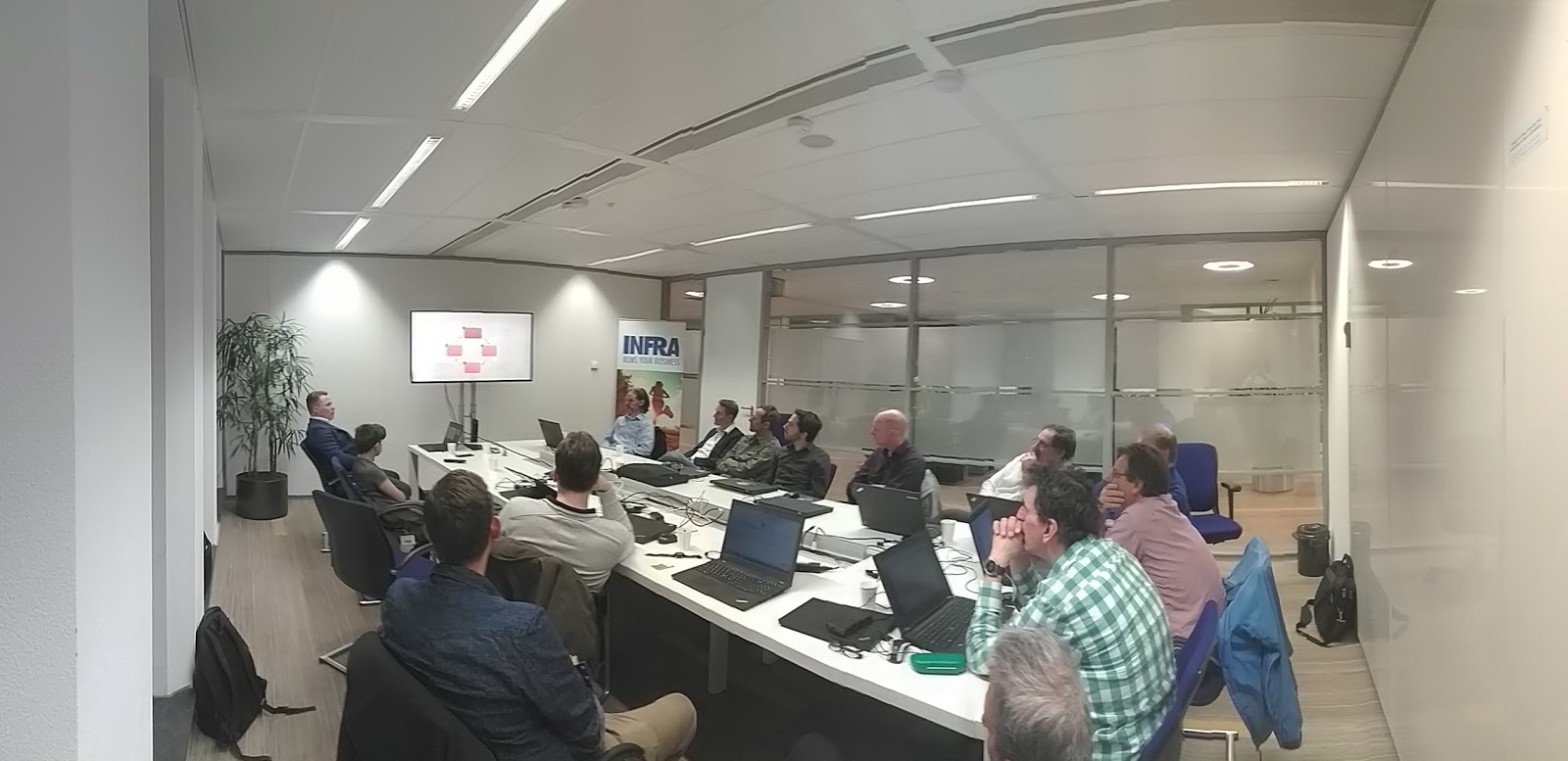
During our CoP Architecture NL evening on "Agile & Architecture", we shared knowledge and discussed our experiences on the role of the architect and his/her work in an Agile context.


Our colleague Ben Kooistra gave us an excellent introduction in Agile/SCRUM/SAFe and the position & work of the architect. He also teaches the Capgemini Academy "Architecture in Agile context - Practitioner training".


In our CoP Architecture NL we did a brief study on the experiences of our architect colleagues who work for clients who work to a greater or lesser extent according to Agile / SAFe. This evening we shared and discussed the results with the attendees. It seems that our findings are broadly supported.


The CJIB (Centraal Justitieel Incassobureau) also shared their Agile & Architecture experiences with us. A lot has been achieved there but (also) there is still a lot to do.


During a forum discussion in which I was one of the panel members, we had the opportunity of discussing questions and standpoints with the audience. Lively discussions, and lots of inspiration!


This will certainly have a follow-up, we are actually already thinking of an ongoing discussion within the Wednesday Evening Training.

Thanks Ben Kooistra for sharing your knowledge with us! Thanks to Birgitte Starrenburg, Dennis Hermsdorf, Martin Brommer, Mirko van der Maat for the organization and contribution!

Learn more? Join us?

​​​​​​​Contact me to learn more on Capgemini and our Architect Community of Practice.

7/4/19

Week #27's Wednesday Evening Training: A good old IoT "klusavond" featuring the Arduino microcontroller and Mozilla WebThings

Two topics, this evening, on Internet of Things (IoT)...

An introduction of the Arduino technology with some nice handson labs by Aishwarya Dhall

We do this on a regular basis in our Wednesday Evening Trainings, to give our colleagues the opportunity to catch up on IoT any time during the year. More experienced colleagues continued with their own labs. In this way everyone can acquire knowledge and experience with this technology at their own pace.

A first exploration van Mozilla WebThings (by me)

Well, this is quite a new thing and quite promising!
As a result of Mozilla's Project Things, Mozilla WebThings is an open platform for monitoring and controlling devices over the web.

It consists, roughly, of the following products:

  • WebThings Gateway: a software distribution for smart home gateways which allows users to directly monitor and control their smart home.
  • WebThings Framework: A collection of re-usable software components to help developers build their own functionality (web things).
  • Things UI: a unified web interface to monitor and control all smart home devices.

The interesting thing is that WebThings allows users to directly monitor and control their smart home over the web, without a middleman. Yes, no subscription for some kind of portal needed. This smart home gateways is focused on privacy, security and interoperability.

Installation and setup of WebThings is quite easy. In tonight's Wednesday Evening Training we just did that, and brainstormed on the applications and next steps we're going to explore next.

Interesting stuff, we'll definitely continue with WebThings!


Further reading

Do you want to read more on the topics in this post?

On IoT technology
What is an IoT Gateway? (SAP EA Explorer - Short Video): https://www.youtube.com/watch?v=6ObesqWDpEo
Mozilla IoT - Mozilla IoT team: https://github.com/mozilla-iot/

On Mozilla WebThings
Mozilla Project Things: https://labs.mozilla.org/projects/project-things
What Mozilla WebThings Has to Offer for the IoT: https://blog.paessler.com/what-mozilla-webthings-has-to-offer-for-the-iot
Introducing Mozilla WebThings: https://hacks.mozilla.org/2019/04/introducing-mozilla-webthings
Simple server for WiFi101, ESP8266, or ESP32 boards compliant with Mozilla's proposed WoT API: https://github.com/mozilla-iot/webthing-arduino
Mozilla WebThings - An open platform for monitoring and controlling devices over the web: https://iot.mozilla.org/
Easy Home Automation With Mozilla IoT & Raspberry Pi - Part 1: https://www.youtube.com/watch?v=maSdWQHSzCg
Getting Started with the WebThings Gateway for Raspberry Pi®: https://iot.mozilla.org/docs/gateway-getting-started-guide.html
Mozilla WebThings Documentation - A guide to using the WebThings Gateway and WebThings Framework: https://iot.mozilla.org/docs/

On demo's and examples (video's from my YouTube channel)
Mozilla Project Things Workshop: https://www.youtube.com/watch?v=uEHL3ZYS790&list=PLSiMhBs48YvXSmJyFMt3eYOG12Llcqyi-&index=23&t=0s
A Universal IoT Gateway? Setting up Mozilla IOT Gateway: https://www.youtube.com/watch?v=MZexWQJtni4&list=PLSiMhBs48YvXSmJyFMt3eYOG12Llcqyi-&index=24&t=0s
Mozilla IoT Framework - Kathy Giori (Mozilla): https://www.youtube.com/watch?v=mWCa6byiPco&list=PLSiMhBs48YvXSmJyFMt3eYOG12Llcqyi-&index=25&t=0s
mozilla-iot-gateway-sensors-20180406rzr: https://www.youtube.com/watch?v=4haKrPetGmg&list=PLSiMhBs48YvXSmJyFMt3eYOG12Llcqyi-&index=26&t=0s
mozilla things gateway - orange pi: https://www.youtube.com/watch?v=y4eTym_TVFo&list=PLSiMhBs48YvXSmJyFMt3eYOG12Llcqyi-&index=27&t=0s

On communities
Mozilla IoT GitHub Community: https://github.com/mozilla-iot/
Mozilla IoT - Mozilla IoT team: https://github.com/mozilla-iot/
Mozilla IoT - Discussion board: https://discourse.mozilla.org/c/iot
Mozilla IRC: https://wiki.mozilla.org/IRC
MozIoT - The Mozilla IoT Team (a small team inside the Emerging Technologies department at Mozilla, working on the Internet and Web of Things): https://wiki.mozilla.org/MozIoT

On related topics
Mozilla IoT - Supported hardware: https://github.com/mozilla-iot/wiki/wiki/Supported-Hardware
Raspberry Pi: https://www.raspberrypi.org/products/
Balena Etcher - Flash OS images to SD cards & USB drives, safely and easily: https://www.balena.io/etcher/
Other Mozilla projects: https://labs.mozilla.org/projects/

Next week's Wednesday Evening Training

Next week we will have an update on our exploration of storing, querying and visualizing software architecture models. We’ll share the prototypes and discuss the proceedings of our research on using graph/noSQL/RDF databases like Neo4j and Apache Jena and 3djs / 3D force graphs.

Looking forward to next week!

Past Wednesday Evening Trainings on all topics

You 'll find post of previous sessions on my blog and on LinkedIn: https://www.linkedin.com/search/results/content/?keywords=%23wednesdayeveningtraining

What happened to the posts of previous Wednesday Evening Trainings?
Well, to be honest I am a bit behind with my blog posts. I hope to catch up with my work in the coming period.

Work @Capgemini?

Do you want to join us? We're always looking for and well-motivated young professionals. Do you have a bachelor or master degree or extensive practical experience? Or do you have a relevant ICT / Informatics training and you have become curious about us? Please send me an mail. Working for us gives you access to all Wednesday Evening Trainings!

5/20/19

Week #19's Wednesday Evening Training: Combi IoT "klusavond" and a practical introduction on IoT using the Arduino microcontroller

This evening, one of our IoT champions, Aishwarya Dhall, once again gave a good introduction of the Arduino technology with some nice handson labs. We do this on a regular basis in our Wednesday Evening Trainings, to give our colleagues the opportunity to catch up on IoT any time during the year.

More experienced colleagues continued with their own labs. In this way everyone can acquire knowledge and experience with this technology at their own pace.


Future Wednesday Evening Training sessions on IoT/Arduino and related topics...

We also had an inspiring brainstorm on future handson labs. Connecting more detectors and experimenting with other technologies. RFID (Radio-frequency identification ) and gesture sensors are just two of the technologies we'll be playing with in upcoming Wednesday Evening Trainings.

Keep following my posts to stay up to date!

Further reading

Do you want to read more on the topics in this post or play around with the technology? Here are some links…

An Arduino is like a little computer (microcontroller) where you can read input of a (example) sensor and can control your output. Like lights, LCD screen, speaker etc. It’s easy to program the Arduino. Read more in my other blog posts: https://hansrontheweb.blogspot.com/search?q=Arduino

On Arduino:
Arduino Interrupts Tutorial (explanations, 2 demo's/labs): https://www.youtube.com/watch?v=QtyOiTw0oQc
My YouTube playlist on YouTube: https://www.youtube.com/playlist?list=PLSiMhBs48YvV86iiXFJY-BRxOsP2A2pnH
10 Awesome Beginner Arduino Projects: https://create.arduino.cc/projecthub/RoyTobby/10-awesome-beginner-arduino-projects-78a6a6
Arduino project - Adaptive LED Morse Code Decoder and Timer Interrupt: https://create.arduino.cc/projecthub/shjin/adaptive-led-morse-code-decoder-and-timer-interrupt-8d18a7
Arduino - Multitasking (e.g. interrupts): https://learn.adafruit.com/multi-tasking-the-arduino-part-2/overview
Arduino Interrupts: https://www.instructables.com/id/Arduino-Interrupts
Arduino Playgrounds - Interrupts: http://playground.arduino.cc/code/interrupts

On Fritzing (designing electronic circuit boards):
Fritzing official site: http://fritzing.org/home
A quick overview on Fritzing: https://www.slideshare.net/HansRontheWeb/fritzing-breadboard-editor

Past Wednesday Evening Trainings on all topics

You 'll find post of previous sessions on my blog and on LinkedIn: https://www.linkedin.com/search/results/content/?keywords=%23wednesdayeveningtraining

Week #20's Wednesday Evening Training: Web Socket implementation using ASP.NET Core, Angular and SignalR

Ever wondered how to push information from the server to your single page app in the browser?

Delivering up-to-date information is crucial today. In classic web applications, server side code is passive and needs to be queried to get information. Web sockets, however, gives the ability to have server-side code push content to clients in real-time.

This Wednesday Evening Training, our colleagues Sina Wahed and Carl in 't Veld gave us an excellent introduction into the application of web sockets in a connected web browser setup.

This technology really helps building a real-time web experience in applications like chat, stock tickers, co-editing et cetera.


So, what did we do during our Wednesday Evening Training?

We started with a Microsoft-flavored :) overview of event driven architectures and the application of web sockets in a connected web browser setup.

After this, Carl gave us a demo and code walk through of a nice example SignalR application building  an event-driven web socket enabled web application. SignalR is an ASP.NET based software library allowing server code to send asynchronous notifications to client-side web applications. Read more on this in the links below.


Then Sina escorted us in a deep-dive into the details of the web sockets protocol. WebSocket is a computer communications protocol, providing full-duplex communication channels over a single TCP connection.

Of course there was plenty of room for Q&A, discussions and hands on labs. But since the amount of contents exceeded the amount of time, we'll continue these topics in next Wednesday Evening Training sessions. We'll also take a deep dive in additional related topics as well.

Interesting and innovative stuff! Thanks Sina and Carl for sharing your knowledge with us!


Next Wednesday Evening Training...

Next Wednesday Evening Training, we'll have an introduction on Neural Networks. We'll be getting an overview of the concepts and applications and we'll dive into the mathematics & algorithms involved.

Further study

Do you want to read more on the topics in this post or play around with the technology? Here are some links…

To get started:
Have the latest Nodejs/npm LTS installed: https://nodejs.org/
Have Visual Studio Code installed: https://code.visualstudio.com/
or Visual Studio 2017 / 2019 if you have a Visual Studio subscription. https://visualstudio.microsoft.com/

On Web Sockets:
WebSocket: https://en.wikipedia.org/wiki/WebSocket
WebSockets 101: lucumr.pocoo.org/2012/9/24/websockets-101/

On SignalR:
SignalR: https://en.wikipedia.org/wiki/SignalR
Real-time ASP.NET with SignalR: Incredibly simple real-time web for ASP.NET: https://dotnet.microsoft.com/apps/aspnet/real-time
ASP.NET Core SignalR .NET Client: https://www.youtube.com/watch?v=vHgMD7I3Duw
Example code (GitHub): https://github.com/swappdeveloper/watwsstappen
Example code (GitHub) swappdeveloper/WednesdayTrainingWebsocketExample:
https://github.com/swappdeveloper/WednesdayTrainingWebsocketExample
Example code using Azure Durable Function (GitHub): https://github.com/cveld/DurableFunctionsExample

Past Wednesday Evening Trainings on all topics

You 'll find post of previous sessions here: https://www.linkedin.com/search/results/content/?keywords=%23wednesdayeveningtraining

Work @Capgemini?

Do you want to join us? We're always looking for and well-motivated young professionals. Do you have a bachelor or master degree or extensive practical experience? Or do you have a relevant ICT / Informatics training and you have become curious about us? Please send me an mail. Working for us gives you access to all Wednesday Evening Trainings!

Week #18's Wednesday Evening Training: WebGL, a recap and continuing implementing WebGL graphics

In this session Quincy Jacobs gave a short recap of his previous Wednesday Evening Training sessions on WebGL (also see my previous posts) to refresh our knowledge on Shaders, Vertex Buffers, Attribute Pointers and various other techniques used in WebGL.


Afterwards this he continued his explanation on implementing textures using the same techniques as the Vertices and the Colors. Some simple math to move, scale and rotate our created shapes was discussed as well.

Just like in other Wednesday Evening Training  sessions, there was also sufficient room for Q&A and discussion and there were lots of code example available for each topic . Plenty to play around with!

Next session, we'll plan time for continuing our WebGL handson labs.

Thanks Quiny, for sharing your knowledge with us!


Further study

Do you want to read more on the topics in this post or play around with the technology? Here are some links…

Quincy Jacob's WebGL Github repository, with alle the docs and examples
https://github.com/QuincyJacobs/WebGLTutorial

WebGL
https://webglfundamentals.org/
https://webgl2fundamentals.org/
https://developer.mozilla.org/nl/docs/Web/API/WebGL_API

OpenGL (also handy for WebGL)
https://learnopengl.com/
https://open.gl/

On the Math
https://www.khanacademy.org/
https://www.symbolab.com/solver/matrix-calculator
https://academo.org/demos/3d-vector-plotter/

Examples and demo's
https://experiments.withgoogle.com/collection/chrome

Past Wednesday Evening Trainings on all topics

You 'll find post of previous sessions here: https://www.linkedin.com/search/results/content/?keywords=%23wednesdayeveningtraining

Work @Capgemini?

Do you want to join us? We're always looking for and well-motivated young professionals. Do you have a bachelor or master degree or extensive practical experience? Or do you have a relevant ICT / Informatics training and you have become curious about us? Please send me an mail. Working for us gives you access to all Wednesday Evening Trainings!

5/3/19

Week #17's Wednesday Evening Training: Quantum Computing & Encryption

On the 24th of April, the 6th edition of the Wednesday Evening Training on Quantum computing was held.

The topic was:  how quantum computing could effect encryption.

In this session, we had a great discussion on how long the most modern supercomputer would take to calculate every single answer in an RSA 2048 bit encryption calculation. And how a Quantum Computer could help.

The time that it would take was estimated to be much longer then the universe will be in existence. That is why this form of encryption is very secure and used everywhere today. However,  immense quantum parallelism would enable quantum computers to break RSA within days or hours.

This would mean that current cryptography would be completely useless when quantum computers are ready. To make matters worse, loads of data is already logged today by companies and governments. This means that data that is secure today, will not be protected tomorrow. We should, therefore, start to think about how long we want to keep our data safe.


Thanks Julian, for sharing your knowledge with us!


Further reading

Do you want to read more on the topics in this post?

Take a look at my post: "Quantum computing: an introduction and a lot of links to resources":
https://hansrontheweb.blogspot.com/2018/11/quantum-computing-introduction.html

Or visit my YouTube channel on Quantum Computing: https://www.youtube.com/playlist?list=PLSiMhBs48YvWecXqKP00NGuiP5UD6RoCk

On specific topics:

Bra–ket notation: https://en.wikipedia.org/wiki/Bra%E2%80%93ket_notation
Quantum Mechanics Concepts: 1 Dirac Notation and Photon Polarisation: https://www.youtube.com/watch?v=pBh7Xqbh5JQ
Conjugate transpose: https://en.wikipedia.org/wiki/Conjugate_transpose
What are theta, phi and lambda in cu1(theta, ctl, tgt) and cu3(theta, phi, lam, ctl, tgt)? What are the rotation matrices being used? https://quantumcomputing.stackexchange.com/questions/2707/what-are-theta-phi-and-lambda-in-cu1theta-ctl-tgt-and-cu3theta-phi-lam
Grover - A fast quantum mechanical algorithm for database search: http://arxiv.org/abs/quant-ph/9605043

Next week's Wednesday Evening Training

Next week we'll have a good old "klusavond" in which we will have multiple topics, like the Arduino Micro processor, IoT  Neo4j, WebGL (continuation of this week's session) et al.

Past Wednesday Evening Trainings on all topics

You 'll find post of previous sessions on my blog and on LinkedIn: https://www.linkedin.com/search/results/content/?keywords=%23wednesdayeveningtraining

Work @Capgemini?

Do you want to join us? We're always looking for and well-motivated young professionals. Do you have a bachelor or master degree or extensive practical experience? Or do you have a relevant ICT / Informatics training and you have become curious about us? Please send me an mail. Working for us gives you access to all Wednesday Evening Trainings!

4/13/19

Week #13's Wednesday Evening Training: Keeping up architecture with Neo4J graph database

In this week's Wednesday Evening Training, Fred van Nimwegen and I gave an introduction to graph-oriented databases, and Neo4j in particular. Also, we gave an update on our proceedings in using databases to store and query architecture models.

So what is a graph database? And what is Neo4j?

A graph database is a type of NoSQL database that uses graph theory to store, map and query relationships. This is essentially a collection of nodes and edges. Each node represents an entity and each edge represents a connection or relationship between two nodes. Graph databases are very well suited for analyzing networks, e.g. to mine data from social media.

Read my introduction on Neo4j here: Dealing with architecture models and views using graph databases like Neo4j


Back to our Wednesday Evening Training...

This evening, Fred explained us the basics of graph databases, and us how to query networks using the Cypher Query Language. He also showed us prototypes of extensive Archimate models generated using Neo4j. Using Neo4j and three.js (JavaScript library) 3D views of architecture models (networks) were displayed and filtered, showing all kinds of relations between architecture elements. Quite a useful way of gaining insight in a complex architecture!

Of course there was plenty of opportunity for experimenting. We did some handson labs and did walk throughs of some examples and demo's. You can find these in the resources mentioned below.

We'll continue our research on architecture modeling using Neo4j for sure and in upcoming Wednesday Evening Trainings we'll update our community on our proceedings.


Next Wednesday Evening Training on Neo4j

In our Wednesday Evening Training of April 17th, we will give a workshop on Modeling patterns & solutions in Archimate using Archi. We'll also give an update on how to use Neo4j with Archimate, Archi & architecture models. Yes, we'll continue experimenting with this great platform!

Further study

Do you want to read more on the topics in this post or play around with the technology? Here are some links…

On Graph databases:
What is a Graph Database? https://neo4j.com/developer/graph-database
Graph Databases for Beginners: Why Graph Technology Is the Future: https://neo4j.com/blog/why-graph-databases-are-the-future
Graph database: https://en.wikipedia.org/wiki/Graph_database
Instructive video's on Graph Databases: https://www.youtube.com/playlist?list=PLSiMhBs48YvXpvmWiUNeThqxOikTH1Zy4

On Neo4j:
Neo4j (GitHub repo): https://github.com/neo4j/neo4j
Neo4j homepage: https://neo4j.com/
Cypher Query Language: https://neo4j.com/developer/cypher-query-language/
Fred's GitHub repo (explanation, examples, in Dutch): https://gitlab.com/fredvn-woensdagavond/neo4j-2018-12
Learn Cypher in minutes: https://learnxinyminutes.com/docs/cypher
Neo4j Sandbox (handson labs, built-in guides and sample datasets for popular use cases): https://neo4j.com/sandbox-v2

Examples:
The Graph of Thrones [Season 7 Contest]: https://neo4j.com/blog/graph-of-thrones/
Dataset: Movie Database: https://neo4j.com/developer/movie-database/#_the_dataset
Exploring a UK Open Government Dataset with Neo4j: https://leanjavaengineering.wordpress.com/2015/04/10/exploring-a-uk-open-government-dataset-with-neo4j

On related topics:
4+1 architectural view model: https://en.wikipedia.org/wiki/4%2B1_architectural_view_model
Database export/import plugin that store Archi models in a central database repository: https://github.com/archi-contribs/database-plugin
threejs (cross-browser JavaScript library and Application Programming Interface (API) used to create and display animated 3D computer graphics): https://threejs.org/

Past Wednesday Evening Trainings on all topics

You 'll find post of previous sessions here: https://www.linkedin.com/search/results/content/?keywords=%23wednesdayeveningtraining

Work @Capgemini?

Do you want to join us? We're always looking for and well-motivated young professionals. Do you have a bachelor or master degree or extensive practical experience? Or do you have a relevant ICT / Informatics training and you have become curious about us? Please send me an mail. Working for us gives you access to all Wednesday Evening Trainings!


3/26/19

Week #12's Wednesday Evening Training: Hands-on with Quantum Computing, a practical introduction (part 5)

Continuing our exploration of Quantum Computing in our 5th Wednesday Evening Training, we had a good discussion on several topics:

  • Qubits: determining tensor products in 2-qubit systems (matrix algebra)
  • Using the Bra–ket notation
  • Conjugate transpose (matrix algebra)
  • Entanglement explained, the role of entanglement in a quantum algorithm 
  • Bell states
  • Exploring the Bloch sphere, also using a simulator (see the resources below).
  • The meaning of theta en phi
  • Grover’s Algorithm, implementation of an Oracle 

Interesting topics! We'll definitely continue these kind of discussions.


Further reading

Do you want to read more on the topics in this post?

Take a look at my post: "Quantum computing: an introduction and a lot of links to resources":
https://hansrontheweb.blogspot.com/2018/11/quantum-computing-introduction.html

Or visit my YouTube channel on Quantum Computing: https://www.youtube.com/playlist?list=PLSiMhBs48YvWecXqKP00NGuiP5UD6RoCk

On specific topics:

Bra–ket notation: https://en.wikipedia.org/wiki/Bra%E2%80%93ket_notation
Quantum Mechanics Concepts: 1 Dirac Notation and Photon Polarisation: https://www.youtube.com/watch?v=pBh7Xqbh5JQ
Conjugate transpose: https://en.wikipedia.org/wiki/Conjugate_transpose
What are theta, phi and lambda in cu1(theta, ctl, tgt) and cu3(theta, phi, lam, ctl, tgt)? What are the rotation matrices being used? https://quantumcomputing.stackexchange.com/questions/2707/what-are-theta-phi-and-lambda-in-cu1theta-ctl-tgt-and-cu3theta-phi-lam
Grover - A fast quantum mechanical algorithm for database search: http://arxiv.org/abs/quant-ph/9605043

Next week's Wednesday Evening Training

Next week we will continue our Neo4j sessions. We'll have great labs and a demo and we will discuss application of Neo4j for storage of searchable architecture models!

Past Wednesday Evening Trainings on all topics

You 'll find post of previous sessions on my blog and on LinkedIn: https://www.linkedin.com/search/results/content/?keywords=%23wednesdayeveningtraining

Work @Capgemini?

Do you want to join us? We're always looking for and well-motivated young professionals. Do you have a bachelor or master degree or extensive practical experience? Or do you have a relevant ICT / Informatics training and you have become curious about us? Please send me an mail. Working for us gives you access to all Wednesday Evening Trainings!

3/15/19

Week #11's Wednesday Evening Training: Control your Raspberry Pi using LUIS on Azure (part 2)

This session was the second part of two sessions where we got an introduction on the Azure Cognitive Speech Services, combined with LUIS, .NET Core and the Raspberry Pi. Read my first post on this topic for a quick introduction of the topics involved and a quick "how to" to get started yourself.


So how did we proceed this evening?

This evening, we continued with our lab. Some of us experimented using Android based mobile phones for speech input. Also, we did some experiments controlling other hardware than LED's.  There was lot's of discussion and brainstorming on other applications and alternative implementations like MQTT and NodeRED. Far more than we could handle in just one evening. Therefore, we'll continue our labs in the next Wednesday Evening Training on IoT (that will be a "klusavond" on april 3rd).

Thanks Ronnie Jongenelen, for sharing your knowledge with us! Great stuff!


Further reading

Do you want to read more on the topics in this post? Here are some resources...

On Azure:
Microsoft Azure - Cognitive Services: https://azure.microsoft.com/nl-nl/services/cognitive-services/
Quickstart: Use prebuilt Home automation app: https://docs.microsoft.com/en-us/azure/cognitive-services/luis/luis-get-started-create-app
RaspberryIO - Pi's hardware access from .NET: https://github.com/unosquare/raspberryio/blob/master/README.md
Setting up Raspbian and .NET Core 2.0 on a Raspberry Pi: https://blogs.msdn.microsoft.com/david/2017/07/20/setting_up_raspian_and_dotnet_core_2_0_on_a_raspberry_pi/

On the Raspberry Pi:
Raspberry Pi: https://en.wikipedia.org/wiki/Raspberry_Pi
Raspberry Pi (official site): https://www.raspberrypi.org
Comparison of single-board computers: https://en.wikipedia.org/wiki/Comparison_of_single-board_computers
Raspbian Debian-based computer operating system for the Raspberry Pi: https://en.wikipedia.org/wiki/Raspbian

On LUIS:
LUIS: http://www.luis.ai
Tutorial: Recognize intents from speech using the Speech SDK for C#: https://docs.microsoft.com/nl-nl/azure/cognitive-services/speech-service/how-to-recognize-intents-from-speech-csharp
Learn Azure (learn at your own pace): https://docs.microsoft.com/en-us/learn/azure/

On Azure/LUIS/IoT combination:
Quickstart: Use prebuilt Home automation app: https://docs.microsoft.com/en-us/azure/cognitive-services/luis/luis-get-started-create-app
Control your Raspberry Pi using LUIS on Azure (Part 1): https://www.ronniejongenelen.nl/control-your-raspberry-pi-using-luis-on-azure-part-1/#blog
Control your Raspberry Pi using LUIS on Azure (Part 2): https://www.ronniejongenelen.nl/control-your-raspberry-pi-using-luis-on-azure-part-2/#blog
Control your Raspberry Pi using LUIS on Azure (Part 3): https://www.ronniejongenelen.nl/control-your-raspberry-pi-using-luis-on-azure-part-3/#blog
Handson Lab - Combine LUIS and the Azure Speech Service to control a Raspberry Pi (sources with Ronnies' hands on lab): https://github.com/rwjjongenelen/CognitiveServices.Speech.IntentRecognition

Other stuff:
A nice and free tool for designing electronic circuits: http://fritzing.org

Next week's Wednesday Evening Training

Next week we will continue our Quantum computing sessions. We'll have a lot of topics to discuss, e.g. complexity theory, Cryptography, optimization and machine learning (quantum neural nets). Looking forward to this!

Past Wednesday Evening Trainings on all topics

You 'll find post of previous sessions on my blog and on LinkedIn: https://www.linkedin.com/search/results/content/?keywords=%23wednesdayeveningtraining

Work @Capgemini?

Do you want to join us? We're always looking for and well-motivated young professionals. Do you have a bachelor or master degree or extensive practical experience? Or do you have a relevant ICT / Informatics training and you have become curious about us? Please send me an mail. Working for us gives you access to all Wednesday Evening Trainings!

3/8/19

Week #10's Wednesday Evening Training: Control your Raspberry Pi using LUIS on Azure (part 1)

This session was the first part of two sessions where we got an introduction on the Azure Cognitive Speech Services, combined with LUIS, .NET Core and the Raspberry Pi.


Raspberry Pi

In many Wednesday Evening Trainings we experimented with the Raspberry Pi. This is a  is a series of small single-board computers developed by the Raspberry Pi Foundation to promote teaching of basic computer science in schools and in developing countries. The Raspberry Pi can be also be used in home automation, industrial automation and commercial products. Several generations of Raspberry Pis have been released. All models feature a Broadcom system on a chip (SoC) with an integrated ARM-compatible central processing unit (CPU) and on-chip graphics processing unit (GPU). The Raspberry Pi Foundation provides Raspbian, a Debian-based Linux distribution for download, as well as third-party Ubuntu, Windows 10 IoT Core, RISC OS, and specialised media centre distributions.[109] It promotes Python and Scratch as the main programming languages, with support for many other languages. .NET Core 2.0 applications will also run on a Raspberry Pi (see the resources below).

LUIS

LUIS (Language Understanding Intelligent Service) is a machine learning-based service to build natural language into apps, bots, and IoT devices. LUIS enables you to integrate natural language understanding into your applications without having to create machine learning models. Instead, you can focus on the application's logic.

A client application for LUIS is any application that communicates with a user in natural language to complete a task. The application sends utterances (text) to the LUIS natural language processing endpoint API and receives the results (interpretation) as a JSON response. In this JSON response, Intents describe how LUIS determines understands what a user wants to do. Entities recognized by LUIS will also be returned. The client application then uses the Intents to make decisions about how to fulfill the user's requests.

For this workshop, a (free) LUIS account was needed. This could be created on the LUIS portal at https://www.luis.ai. This portal also offers an excellent intro into Artificial Intelligence.


So what did we do this evening?

We built a prototype based on a sample app with which we could control two LED lights on a Raspberry Pi by spoken commands. The example prototype was built for a Raspberry Pi and contained a Console App for recording spoken text through a microphone, a LUIS app for voice recognition, and an ASP.NET API, directly installed on a Raspberry Pi that controlled the LED lights.

The sample prototype used in this session used the following hardware:

  • Raspberry Pi 3B
  • One 40-way T-Cobbler Breakout Board for Raspberry Pi
  • One 830 point Breadboard
  • One yellow led light
  • One blue led light
  • Two resistances of 500 ohm
  • Four male to male cables to connect the different parts

With the prototype we could turn on and off a yellow and a blue LED light by using the following voice commands: “turn on the yellow / blue light” and “turn off the yellow / blue light” “. The prototype therefore had to be able to understand whether I had to turn a LED on or off, but also which color that had to be turned on or off.

We therefore had to create a LUIS app with which we could analyze a spoken command and determine the intents of this command. A console application that received a voice command and forwarded it to our LUIS app had to be created as well. The LUIS app then sended back a response containing the received voice command and an overview of the intents.

To convert the results that we received from LUIS to GPIO commands on the Raspberry Pi, we had to build an ASP.NET Core Web API that had to be installed directly onto the Raspberry Pi. Therefore, .NET Core had to be installed on the Raspberry Pi. No problem, since .NET Core also runs perfectly on Linux.

Thanks Ronnie Jongenelen, for sharing your knowledge with us! Great stuff!


Next steps...

Next Wednesday Evening Training we will continue our lab. Also: we will be experimenting on using alternative solution components: MQTT and NodeRED. Since the Arduino (single-board computer) also has our attention in the Wednesday Evening Trainings, we'll also have a brainstorm on how to implement this solution on the Arduino.

Further reading

Do you want to read more on the topics in this post? Here are some resources...

On Azure:
Microsoft Azure - Cognitive Services: https://azure.microsoft.com/nl-nl/services/cognitive-services/
Quickstart: Use prebuilt Home automation app: https://docs.microsoft.com/en-us/azure/cognitive-services/luis/luis-get-started-create-app
RaspberryIO - Pi's hardware access from .NET: https://github.com/unosquare/raspberryio/blob/master/README.md
Setting up Raspbian and .NET Core 2.0 on a Raspberry Pi: https://blogs.msdn.microsoft.com/david/2017/07/20/setting_up_raspian_and_dotnet_core_2_0_on_a_raspberry_pi/

On the Raspberry Pi:
Raspberry Pi: https://en.wikipedia.org/wiki/Raspberry_Pi
Raspberry Pi (official site): https://www.raspberrypi.org
Comparison of single-board computers: https://en.wikipedia.org/wiki/Comparison_of_single-board_computers
Raspbian Debian-based computer operating system for the Raspberry Pi: https://en.wikipedia.org/wiki/Raspbian

On LUIS:
LUIS: http://www.luis.ai
Tutorial: Recognize intents from speech using the Speech SDK for C#: https://docs.microsoft.com/nl-nl/azure/cognitive-services/speech-service/how-to-recognize-intents-from-speech-csharp
Learn Azure (learn at your own pace): https://docs.microsoft.com/en-us/learn/azure/

On Azure/LUIS/IoT combination:
Quickstart: Use prebuilt Home automation app: https://docs.microsoft.com/en-us/azure/cognitive-services/luis/luis-get-started-create-app
Control your Raspberry Pi using LUIS on Azure (Part 1): https://www.ronniejongenelen.nl/control-your-raspberry-pi-using-luis-on-azure-part-1/#blog
Control your Raspberry Pi using LUIS on Azure (Part 2): https://www.ronniejongenelen.nl/control-your-raspberry-pi-using-luis-on-azure-part-2/#blog
Control your Raspberry Pi using LUIS on Azure (Part 3): https://www.ronniejongenelen.nl/control-your-raspberry-pi-using-luis-on-azure-part-3/#blog
Handson Lab - Combine LUIS and the Azure Speech Service to control a Raspberry Pi (sources with Ronnies' hands on lab): https://github.com/rwjjongenelen/CognitiveServices.Speech.IntentRecognition

Other stuff:
A nice and free tool for designing electronic circuits: http://fritzing.org

Past Wednesday Evening Trainings on all topics

You 'll find post of previous sessions on my blog and on LinkedIn: https://www.linkedin.com/search/results/content/?keywords=%23wednesdayeveningtraining

Work @Capgemini?

Do you want to join us? We're always looking for and well-motivated young professionals. Do you have a bachelor or master degree or extensive practical experience? Or do you have a relevant ICT / Informatics training and you have become curious about us? Please send me an mail. Working for us gives you access to all Wednesday Evening Trainings!

3/1/19

Week #9's Wednesday Evening Training: An Introduction to Social Engineering: Part 1 - Phishing

In our Wednesday Evening Trainings, we regularly pay attention to security, a very important topic in ICT. This evening, one of our security champions, Philipp Blaas, took us on an excellent and inspiring dive into Social Engineering.


About Social Engineering

Many security experts agree that Social Engineering continues to be the biggest security threat by a big margin. And this is even though Email scams such as “The Nigerian Prince” or “Fake PayPal invoices” have been around for decades!

Why are individuals and organisations still tricked by such tactics that led to massive scandals such as the Sony Hack, The U.S. Democrats Email Server Breach or the Petya Ransomware Attack?

Social Engineering is still highly effective because it takes advantage of human psychology. The methods used are as old as civilization. Why they still work we were shown this Wednesday Evening Training.


What we did during this session

In our session, we have covered common tactics of Social engineering and Phishing based on practical examples. Philipp showed us the steps in which attackers operate. After collecting (mostly automatically) information about a potential target, the attacker develops a relationship with the victim to attain a trusting affiliation in order to take advantage of the target, then executes the attack and leverages the information gained to plan more attacks.

As an exercise, we were asked to review Out of Office replies (often used in companies) to establish which information an attacker can easily gather as a first step. In further steps, trusted social platforms like LinkedIn can be used to gather additional information to be used in the attack.


An attacker often tries to ensure that the victim clicks on a hyperlink to malware without thinking. The attacker does this, for example, by making the victim believe that he has an acute problem. Examples of this are emails in which a strange payment, a security problem, a request from a so-called colleague or manager is reported. You can easily see through such attacks by following a few simple rules. One of them is simply taking time before responding to email; think first before you respond. In addition: determine whether the sender is reliable (take a close look at the e-mail address of the sender), or in the e-mail personal details that the attacker can not know, but also whether the relevant e-mail has been drawn up amateurish (layout, spelling). And: did you know that if you use your cell phone for reading and replying to your e-mail, you are more likely to click on links? Food for thoughts!

We were also shown a nice example of Vishing (Voice phishing), using social engineering over the telephone system to gain access to private personal and financial information. See the links below for this video.


Finally, we did a joint quiz in which we were shown several emails and had to determine whether it was a phishing email or a real mail.

A real eye opener, proving that taking time for reading your emails is crucial!

As usual, there was plenty opportunity for Q&A and discussion. We discussed using tools like Password Managers and other methods to secure your work environment. We also discussed tools that may be used by attackers. See the links below for further reading on these.

Thanks Philipp, for sharing your knowledge with us!


Further reading

Do you want to read more on the topics in this post? Here are some resources...

This is how hackers hack you using simple social engineering: https://youtu.be/lc7scxvKQOo
OSINT tool:
Open-source intelligence: https://en.wikipedia.org/wiki/Open-source_intelligence
KeePass Cross-Platform Community Edition (Password manager): https://keepassxc.org
Curb Your Enthusiasm: A.I. Will Not Save Us From Phishing: https://www.linkedin.com/pulse/curb-your-enthusiasm-ai-save-us-from-phishing-philipp-blaas/
Onderzoek: master password van wachtwoordmanagers is te achterhalen via geheugen (Dutch): https://tweakers.net/nieuws/149368/onderzoek-master-password-van-wachtwoordmanagers-is-te-achterhalen-via-geheugen.html
Video's on ICT security (e.g. types of attack) on my YouTube Channel: https://www.youtube.com/playlist?list=PLSiMhBs48YvViQFNwqLZFE8GU5baI2f-g

Past Wednesday Evening Trainings on all topics

You 'll find post of previous sessions on my blog and on LinkedIn: https://www.linkedin.com/search/results/content/?keywords=%23wednesdayeveningtraining

Work @Capgemini?

Do you want to join us? We're always looking for and well-motivated young professionals. Do you have a bachelor or master degree or extensive practical experience? Or do you have a relevant ICT / Informatics training and you have become curious about us? Please send me an email. Working for us gives you access to all Wednesday Evening Trainings!


2/20/19

Week #8's Wednesday Evening Training: Quantum Computing, a practical introduction using IBM technology (part 4)

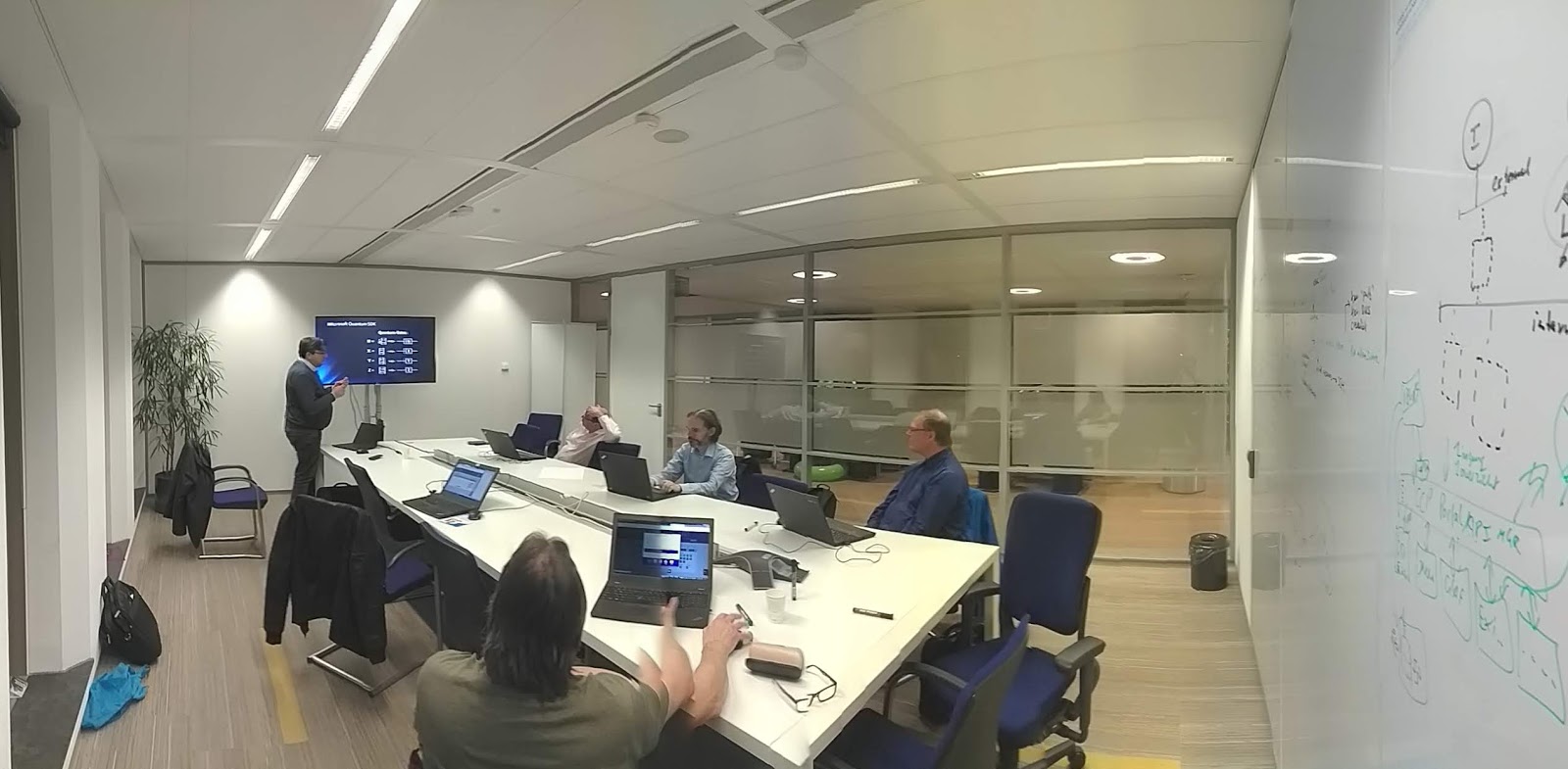
Continuing our exploration of Quantum Computing, guided by one of our Quantum Computer champions: Ilyas Sener. We had a little recap of Quantum logic gates, math topics and an inspiring brainstorm on topics for our upcoming Wednesday Evening Trainings on Quantum Computing.


Further reading

Do you want to read more on the topics in this post? Take a look at my post: "Quantum computing: an introduction and a lot of links to resources":
https://hansrontheweb.blogspot.com/2018/11/quantum-computing-introduction.html

Past Wednesday Evening Trainings on all topics

You 'll find post of previous sessions on my blog and on LinkedIn: https://www.linkedin.com/search/results/content/?keywords=%23wednesdayeveningtraining

Work @Capgemini?

Do you want to join us? We're always looking for and well-motivated young professionals. Do you have a bachelor or master degree or extensive practical experience? Or do you have a relevant ICT / Informatics training and you have become curious about us? Please send me an email. Working for us gives you access to all Wednesday Evening Trainings!

2/9/19

Week #6's Wednesday Evening Training: A practical introduction to C# code reviewing

Reviewing code requires to have a fresh and different view on (your colleague’s) code. You need to look for bad practices, think out of the box, follow your gut feeling, know about best and bad practices. You need to find a balance between advising about improvements and flat out rejecting code.

This Wednesday Evening Training, we had a practical overview and deep dive into code reviewing. One of our C# champions, Bart Roozendaal, showed us what we can look for specifically in code.

What to look for when reviewing code?

You can take a look at the general structure, tidiness, common errors, code smells and easy to find things. And there is a lot of checks and examples to be found on the internet as well. But what is also important is to view your code from particular viewpoints like security, efficiency and exception handling (error handling). It is definitely worth thinking out of the (language) box when developing a software program. Especially if your code is part of a much larger whole. And that is increasingly the case nowadays.


This evening was all about sharing experiences and opinions. There is no definite right or wrong, there are only considerations that you should make in a sensible manner. For example; there are multiple strategies to choose from when handling errors. How far do you have to go to catch errors in the code? This depends, for example, on the purpose of the program and the damage that specific errors can cause.

We did a walk through of  an existing C# solution and discussed the different findings. Very educative. The code was written in C #, but that was certainly no problem for Java engineers.

During the walk through we also discussed tooling that you can use for testing your software. See the links below for some of the tools we discussed.

To be continued...

We will certainly organize follow-up sessions on this topic. Next time, participants are invited to bring their own code to have reviewed, or bring interesting samples found. The Wednesday Evening Trainings are all about sharing knowledge and experience and learning from each other.

Thanks Bart for sharing your knowledge and experience with us!


Further reading

Do you want to read more on the topics in this post? Here are some links…

List of tools for static code analysis: https://en.wikipedia.org/wiki/List_of_tools_for_static_code_analysis
CodeMaid - An open source Visual Studio extension to cleanup and simplify C#, C++, F#, VB, PHP, PowerShell, R, JSON, XAML, XML, ASP, HTML, CSS, LESS, SCSS, JavaScript and TypeScript coding: http://www.codemaid.net/
NCrunch - An automated concurrent testing tool for Visual Studio: https://www.ncrunch.net/

Past Wednesday Evening Trainings on all topics

You 'll find post of previous sessions on my blog and on LinkedIn: https://www.linkedin.com/search/results/content/?keywords=%23wednesdayeveningtraining

Work at Capgemini?

Do you want to join us? We're always looking for and well-motivated young professionals. Do you have a bachelor or master degree or extensive practical experience? Or do you have a relevant ICT / Informatics training and you have become curious about us? Please send me an email. Working for us gives you access to all Wednesday Evening Trainings!

12/25/18

Week #51's Wednesday Evening Training: A practical introduction to Graph Databases and Neo4j

In this week's Wednesday Evening Training, Fred van Nimwegen and I gave an introduction to graph-oriented databases, and Neo4j in particular.


Why a session on this topic?

During our work with on of our customers, Fred and I work on quite large architectures, modeling them in Archimate and UML. Having an architecture model is only step 1, using it in an effective way is really important and is gives much more challenges. Usually, a collection of usefull architecture views are defined to illustrate the architecture from the point of view of the stakeholders. The Archimate standard provides a set of views and the 4+1 architectural view model as well. But when architectures are getting more extensive and more dynamic, you'll more often find yourself needing a powerful way of "searching" and "selecting" relevant elements in an architecture model. Since architectures can be stored in databases (e.g. by using plugins like the Database export/import plugin for Archi), you can query them. Fred and I have done some research on this and found out that querying a relational database isn't that efficient. You can look on an architecture model as a collection of element (types) interconnected with each other. Each architecture element can have a relation of some kind with another element. For example: a service has a assignment relation with an application interface that has a realization relation with an application that can have serving relations with other applications. Finding all services that in some way are influences by infrastructure processes, for example, is not that easy. It's a network that is hard (inefficient) to query on using a relational database using, for example, joins or procedures. This is caused by the concept of a relational database that just isn't suitable for models that look like networks of interconnected elements. Luckily, the Database export/import plugin for Archi also supports Neo4j, a graph database, which seems to be more suitable for this. Graph databases like Neo4j actually provide an excellent way of displaying complex architectures in which there exist many connections between elements.


So what is a graph database? And what is Neo4j?

A graph database is a type of NoSQL database that uses graph theory to store, map and query relationships. This is essentially a collection of nodes and edges. Each node represents an entity and each edge represents a connection or relationship between two nodes. Graph databases are very well suited for analyzing networks, e.g. to mine data from social media.

Neo4j is a graph database management system developed by Neo4j, Inc. Described by its developers as an ACID-compliant transactional database with native graph storage and processing, Neo4j is the most popular graph database according to DB-Engines ranking, and the 22nd most popular database overall.

Back to our Wednesday Evening Training...

This evening, Fred explained us the basics of graph databases, and us how to query networks using the Cypher Query Language. He also showed us prototypes of extensive Archimate models generated using Neo4j. Using Neo4j and three.js (JavaScript library) 3D views of architecture models (networks) were displayed and filtered, showing all kinds of relations between architecture elements. Quite a useful way of gaining insight in a complex architecture!

Of course there was plenty of opportunity for experimenting. We did some handson labs and did walk throughs of some examples and demo's. You can find these in the resources mentioned below.

We'll continue our research on architecture modeling using Neo4j for sure and in upcoming Wednesday Evening Trainings we'll update our community on our proceedings.

Further reading

Do you want to read more on the topics in this post or play around with the technology? Here are some links…

On Graph databases:
What is a Graph Database? https://neo4j.com/developer/graph-database
Graph Databases for Beginners: Why Graph Technology Is the Future: https://neo4j.com/blog/why-graph-databases-are-the-future
Graph database: https://en.wikipedia.org/wiki/Graph_database

On Neo4j:
Neo4j (GitHub repo): https://github.com/neo4j/neo4j
Neo4j homepage: https://neo4j.com/
Cypher Query Language: https://neo4j.com/developer/cypher-query-language/
Fred's GitHub repo (explanation, examples, in Dutch): https://gitlab.com/fredvn-woensdagavond/neo4j-2018-12
Learn Cypher in minutes: https://learnxinyminutes.com/docs/cypher
Neo4j Sandbox (handson labs, built-in guides and sample datasets for popular use cases): https://neo4j.com/sandbox-v2

Examples:
The Graph of Thrones [Season 7 Contest]: https://neo4j.com/blog/graph-of-thrones/
Dataset: Movie Database: https://neo4j.com/developer/movie-database/#_the_dataset
Exploring a UK Open Government Dataset with Neo4j: https://leanjavaengineering.wordpress.com/2015/04/10/exploring-a-uk-open-government-dataset-with-neo4j

On related topics:
4+1 architectural view model: https://en.wikipedia.org/wiki/4%2B1_architectural_view_model
Database export/import plugin that store Archi models in a central database repository: https://github.com/archi-contribs/database-plugin
threejs (cross-browser JavaScript library and Application Programming Interface (API) used to create and display animated 3D computer graphics): https://threejs.org/

The next Wednesday Evening Training will be in 2019

January 9th 2019 will be our first Wednesday Evening Training in 2019. We'll start 2019 with an IoT "klusavond": continuing our projects on Arduino, Raspberry Pi and Whitty Cloud. Two of our IoT experts, Aishwarya Dhall and Luc Slutter, will share their knowledge and experience with us. We'll take a deep dive in interrupts and we'll get an introduction into the Domoticz lightweight Home Automation System.

Past Wednesday Evening Trainings on all topics

You 'll find post of previous sessions here: https://www.linkedin.com/search/results/content/?keywords=%23wednesdayeveningtraining